Run your properties from one app

API connection from ₩20,900/month · iCal connection free (beta)

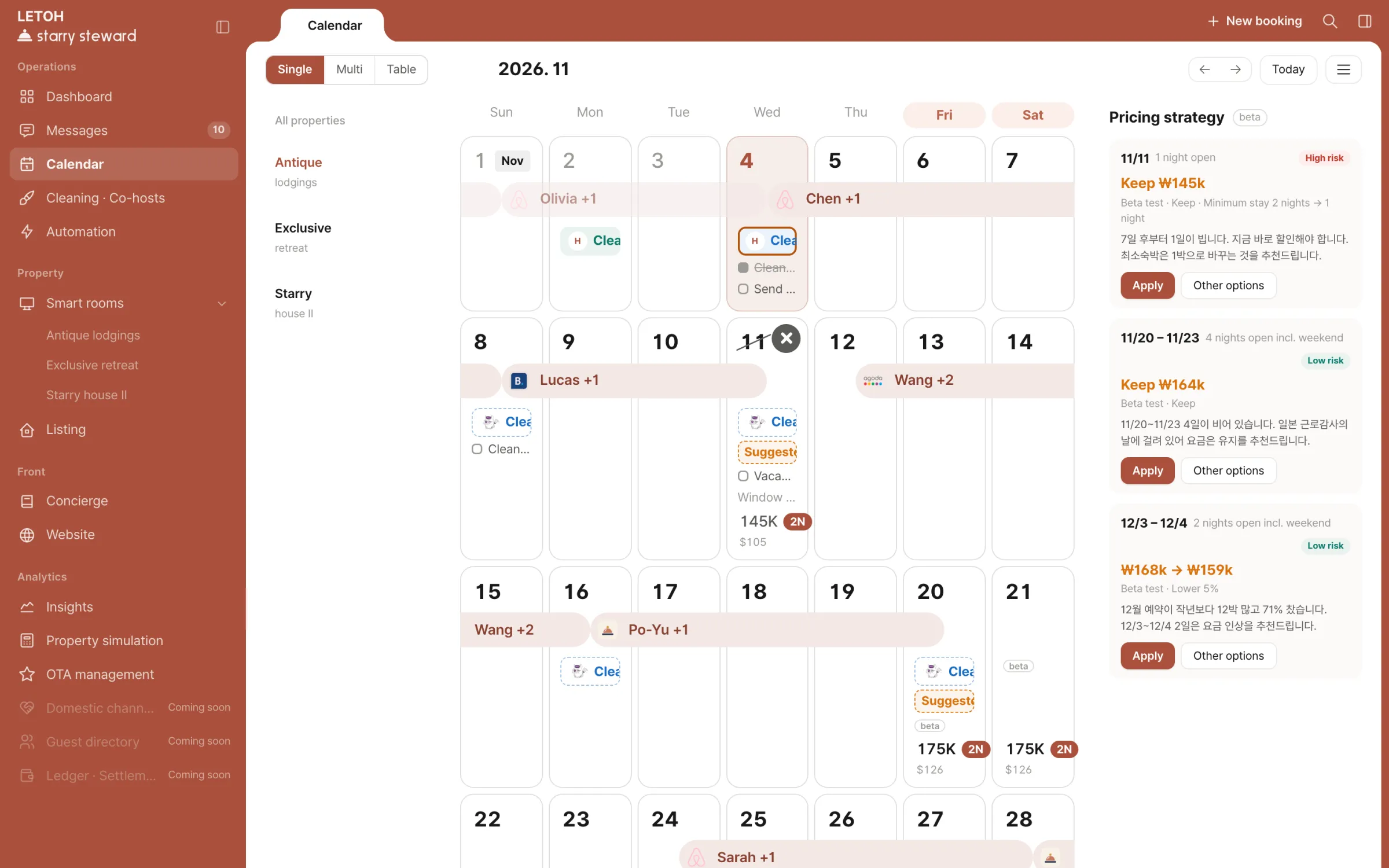
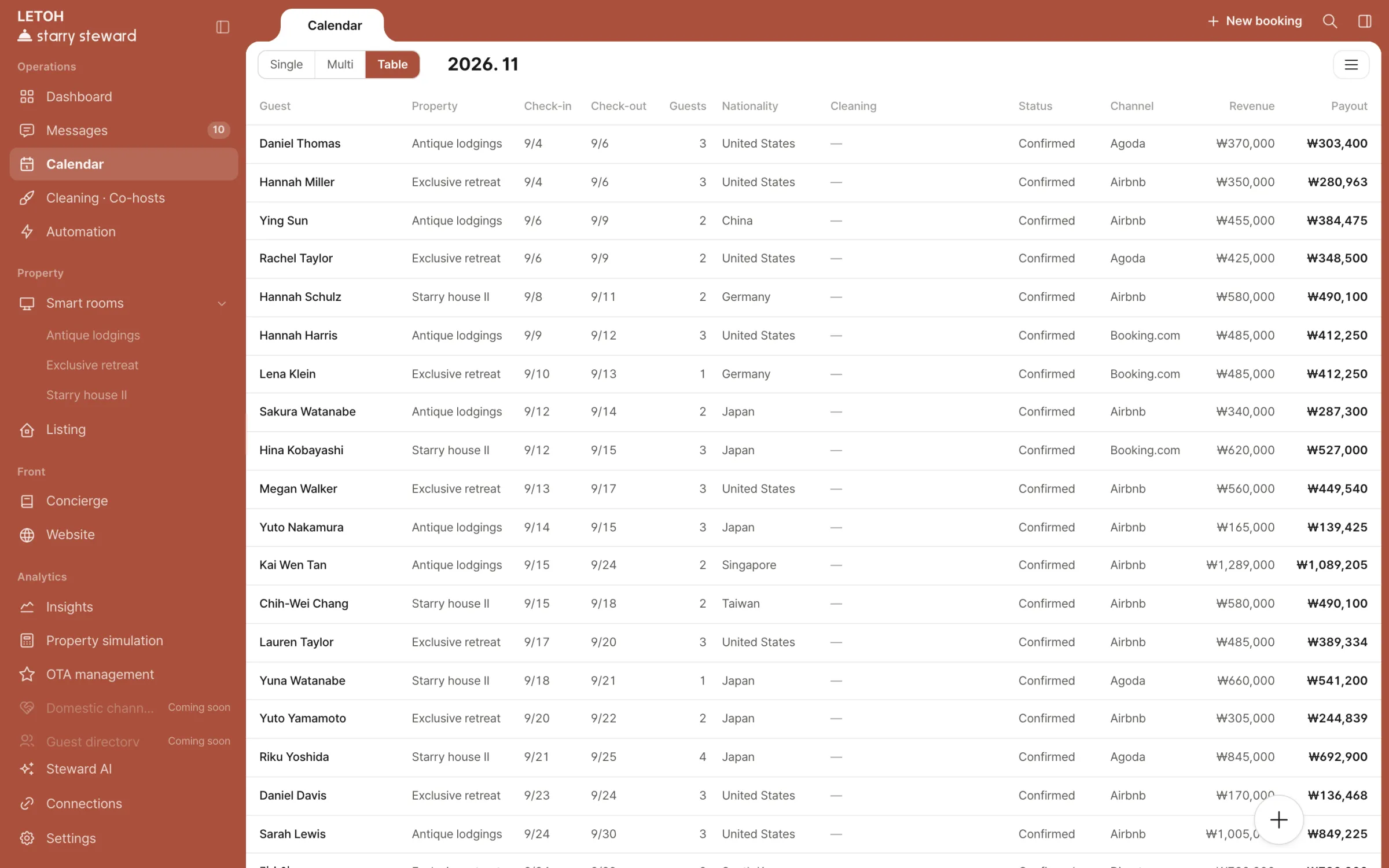
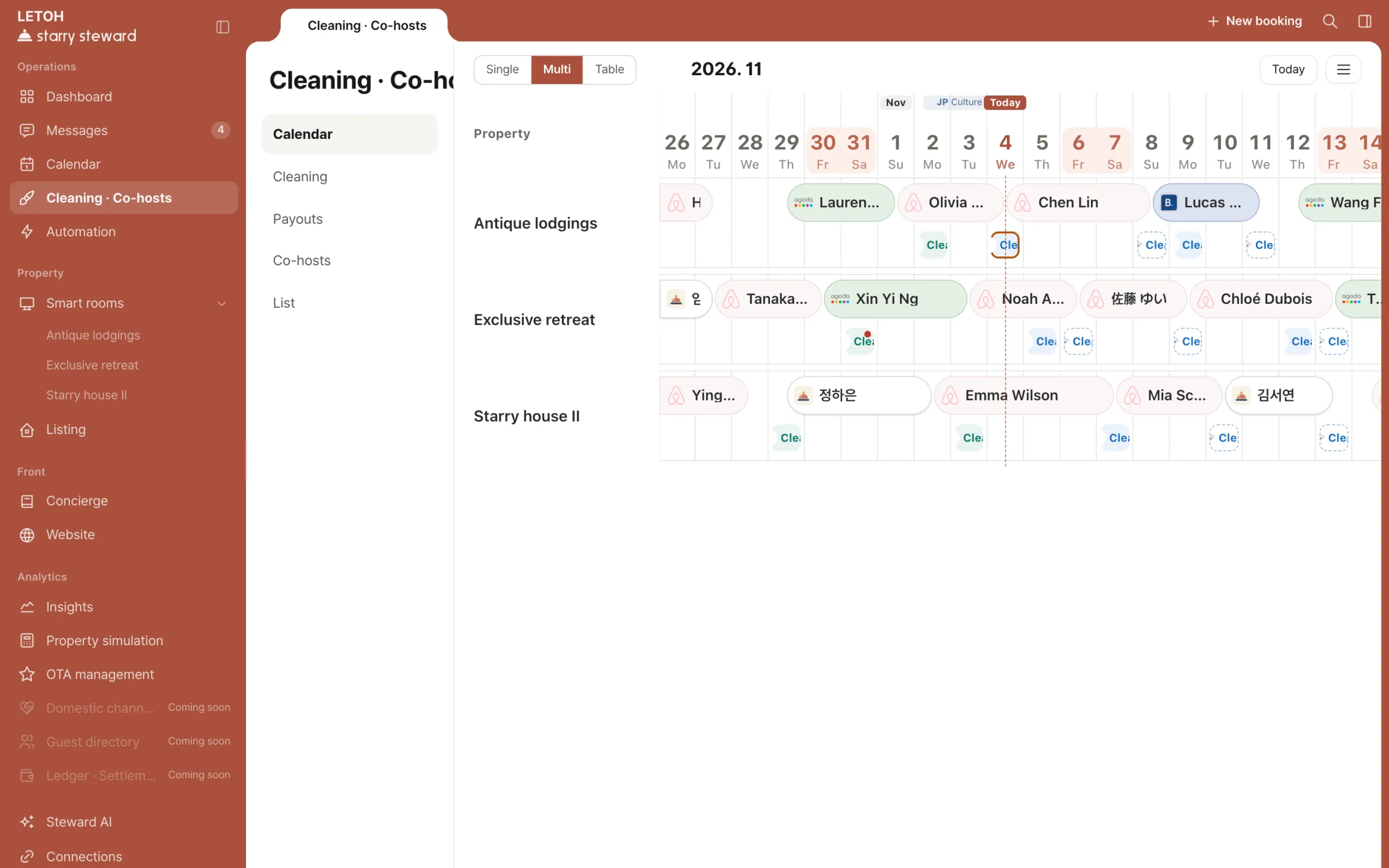
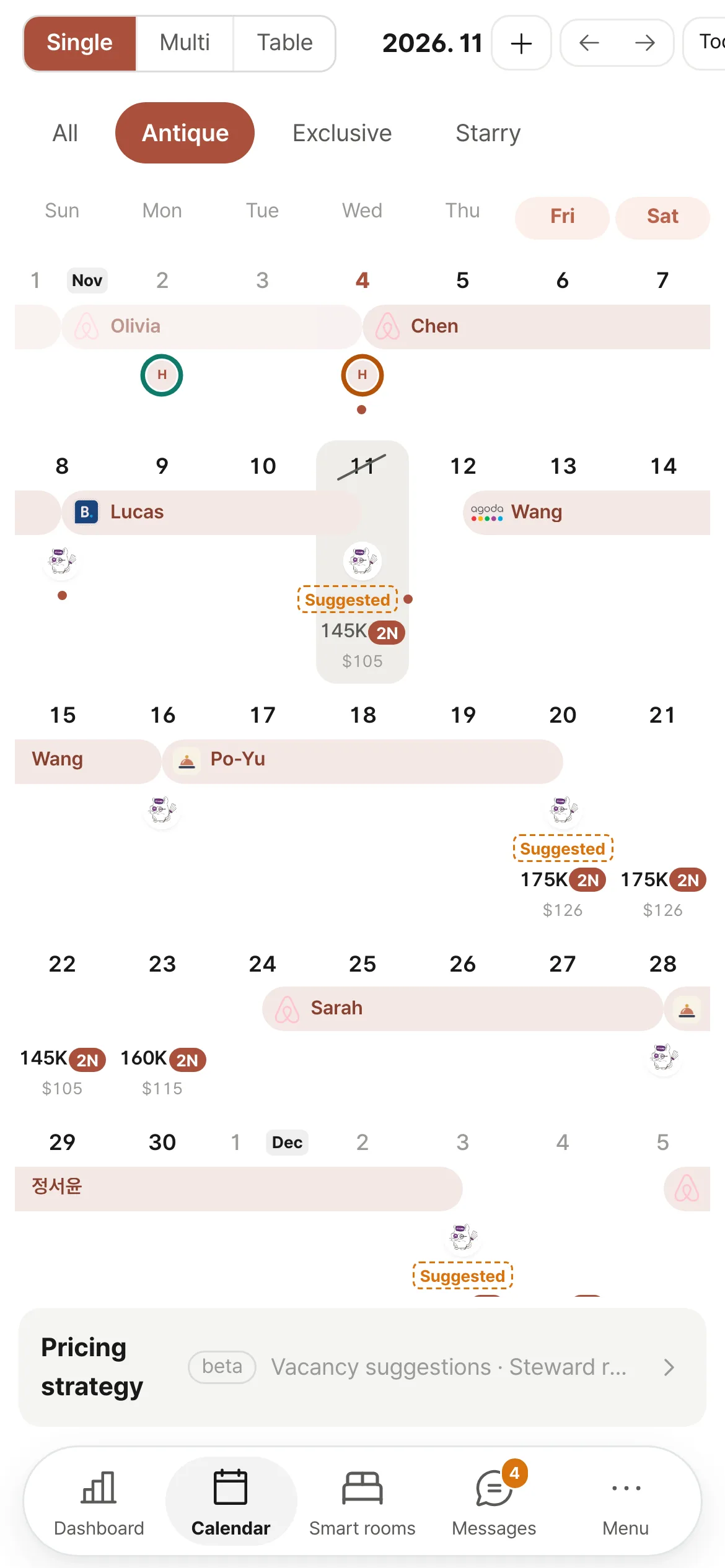
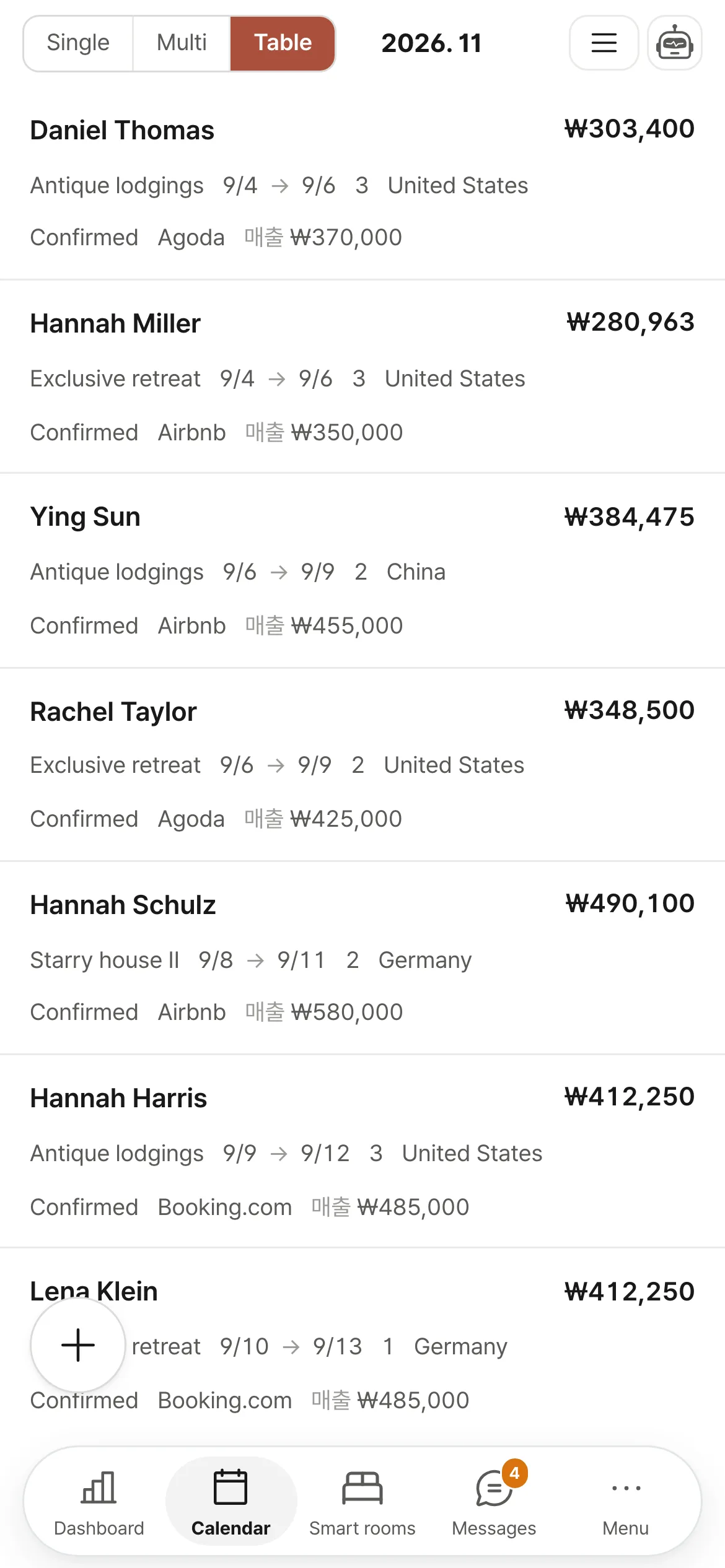
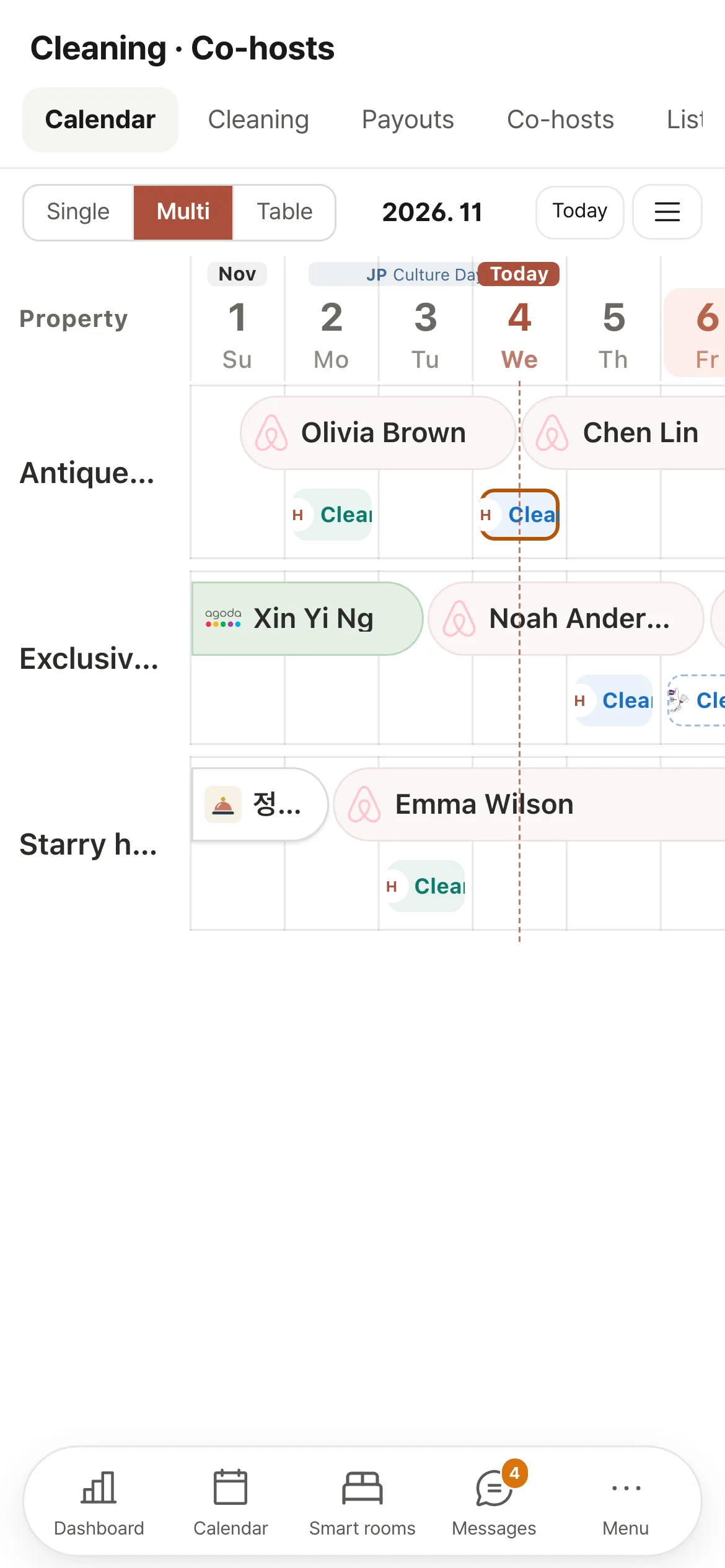
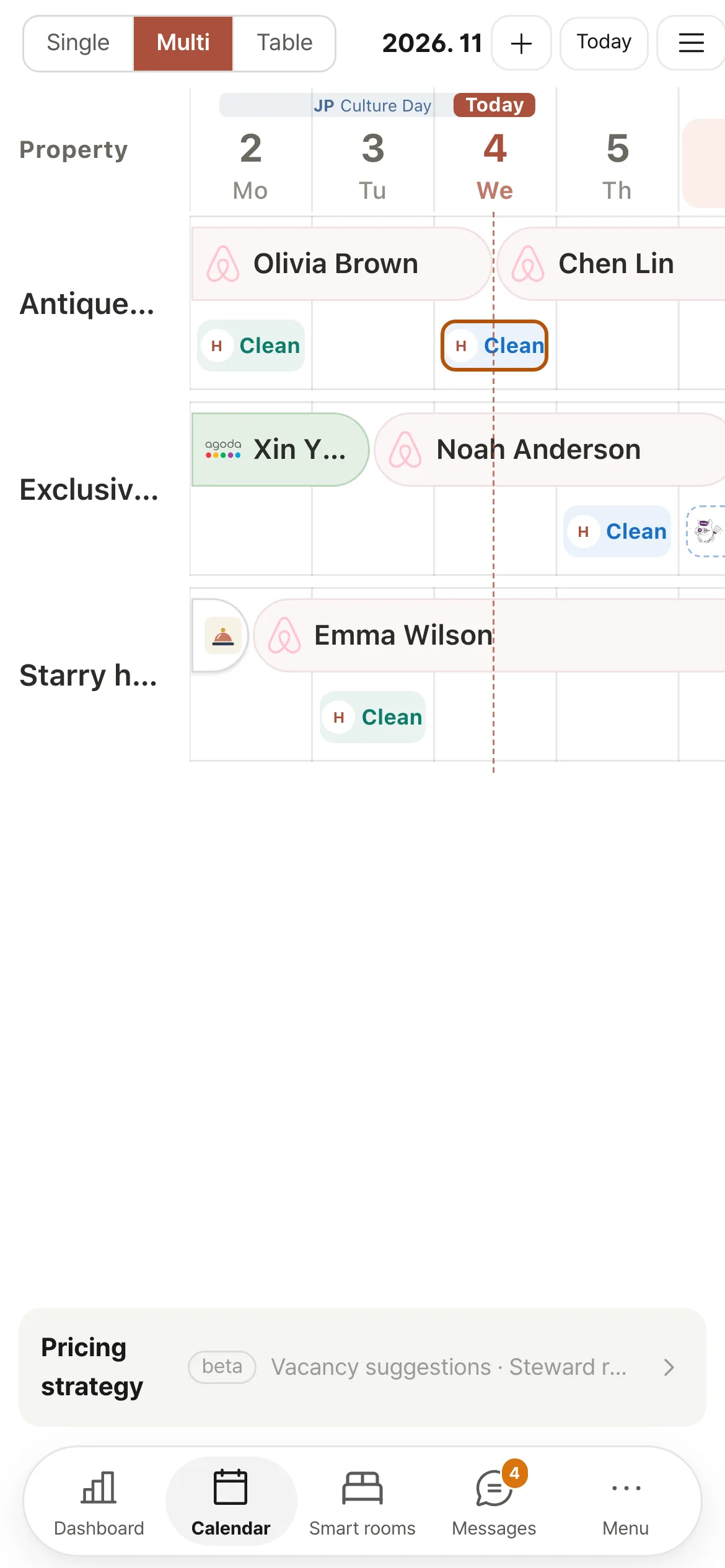
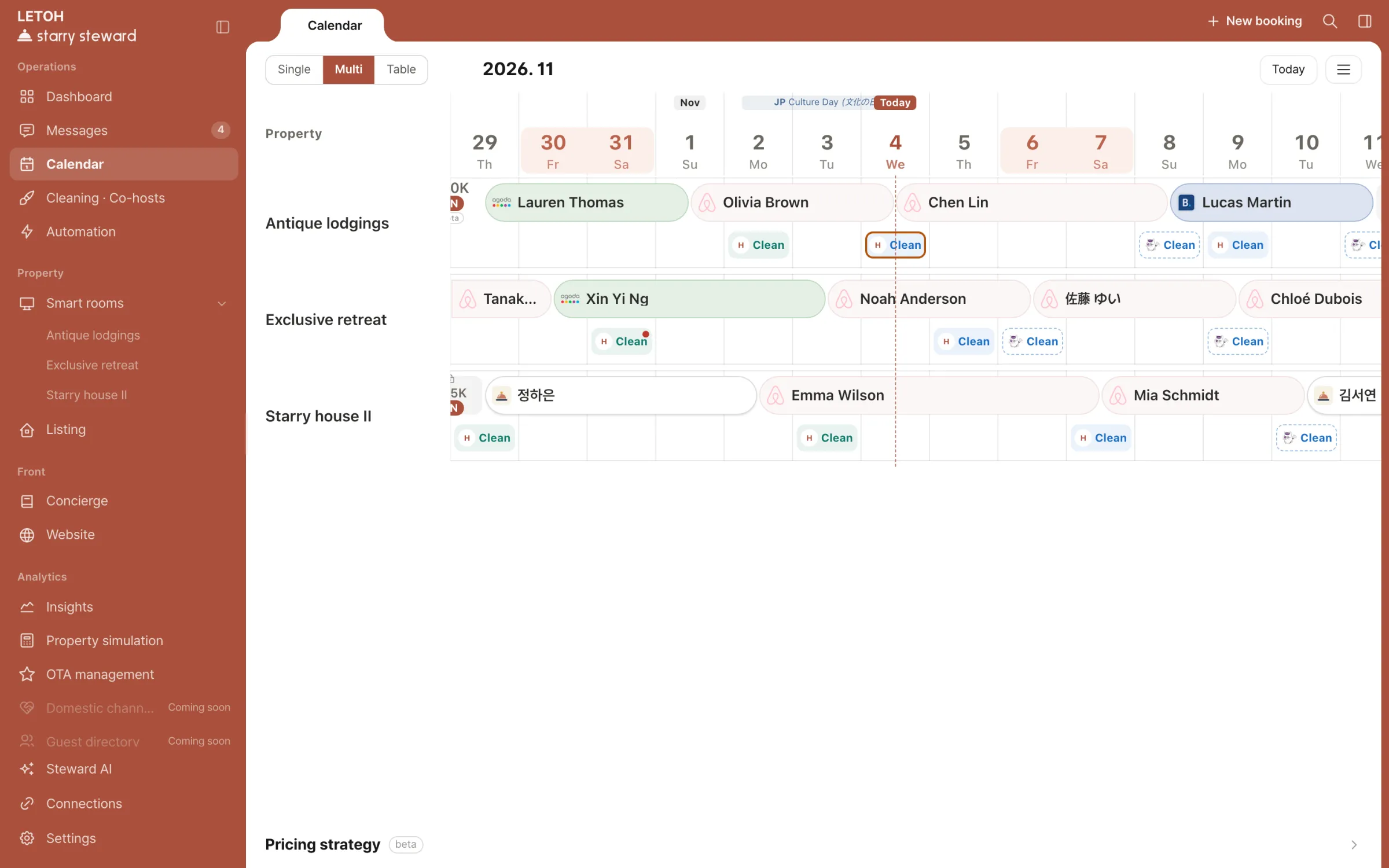
Multi calendar — booking bars per property, colored by channelSingle calendar — monthly view of one property with rates for open datesBooking table — guest, property, dates, party size, nationality, cleaning, revenue
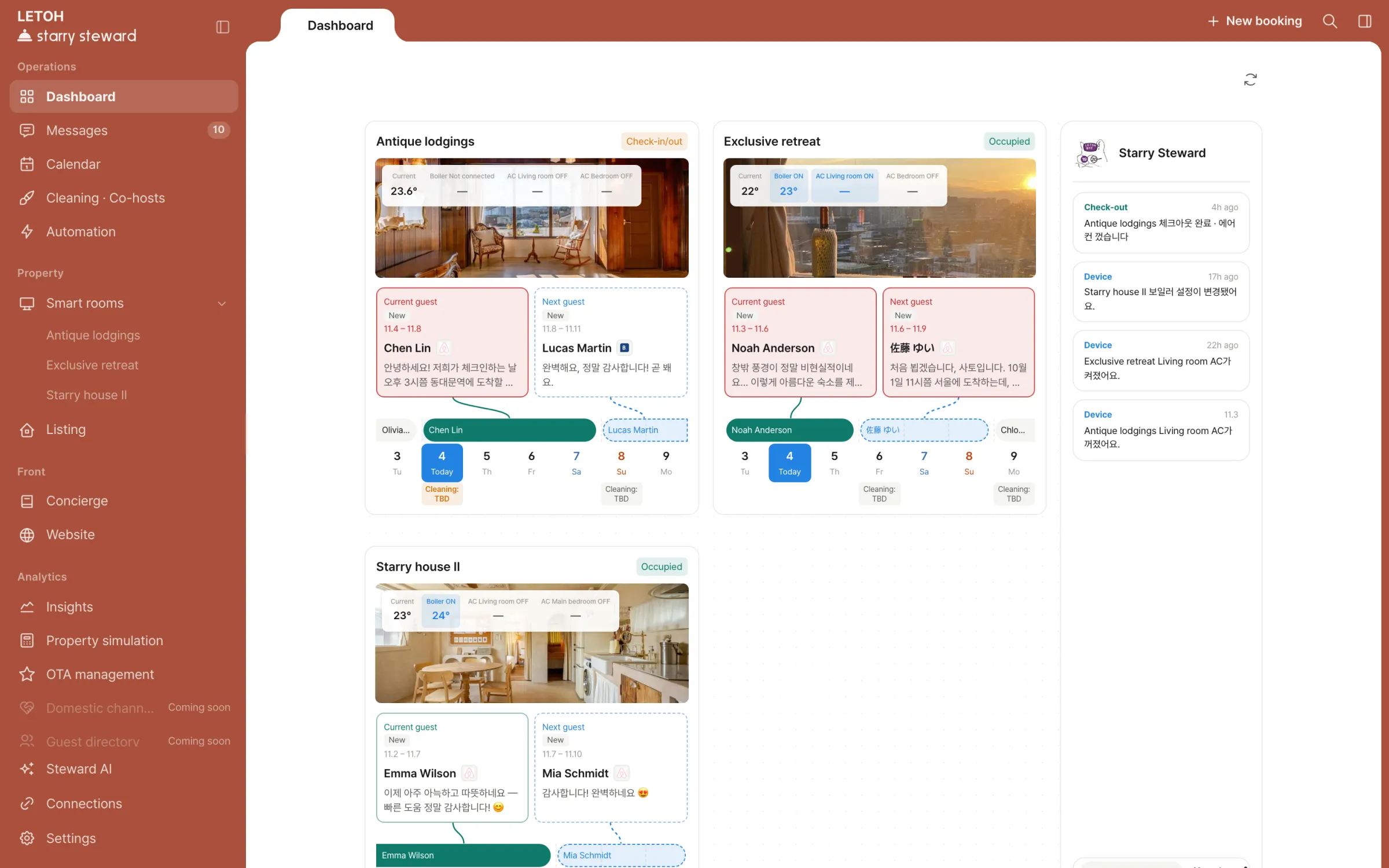
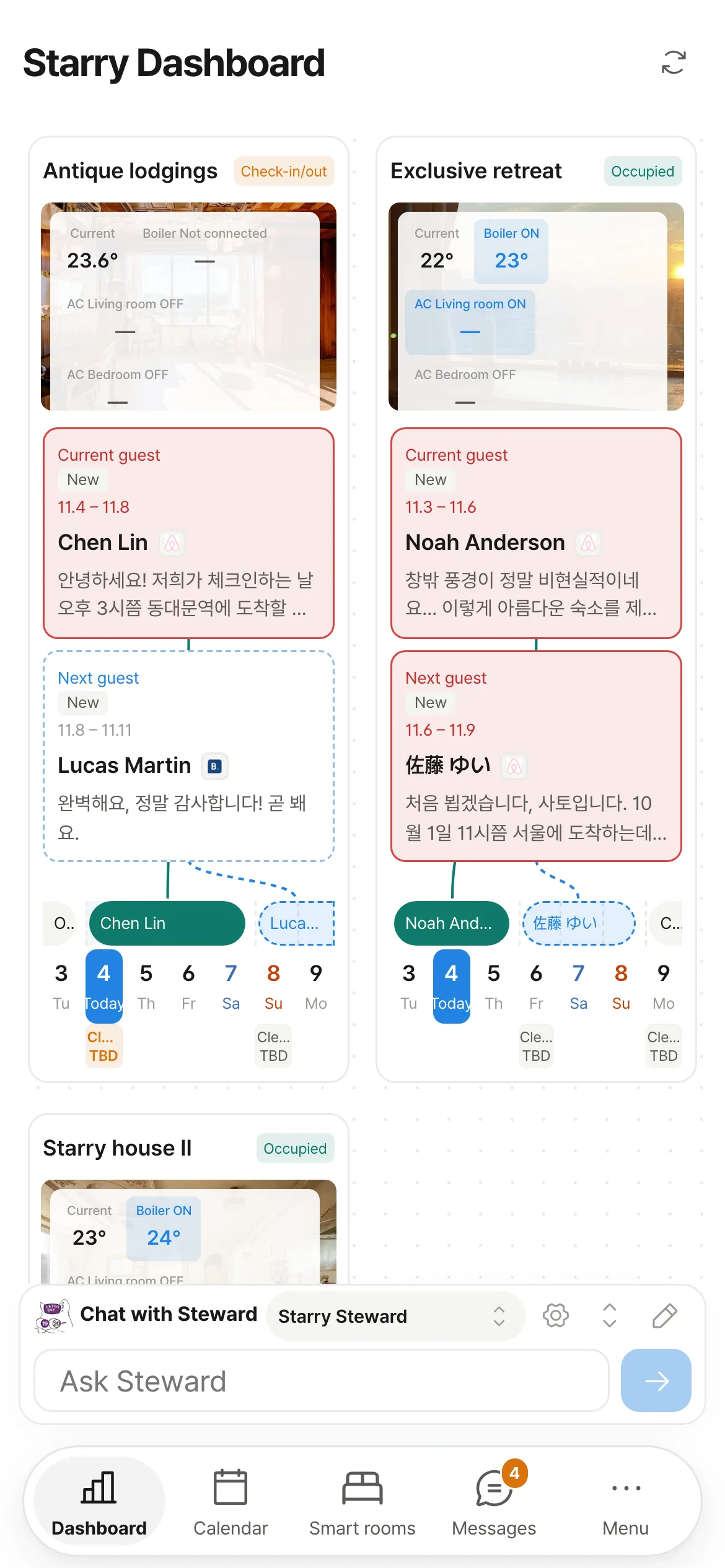
Dashboard — current and next guest per property, with this week’s calendar
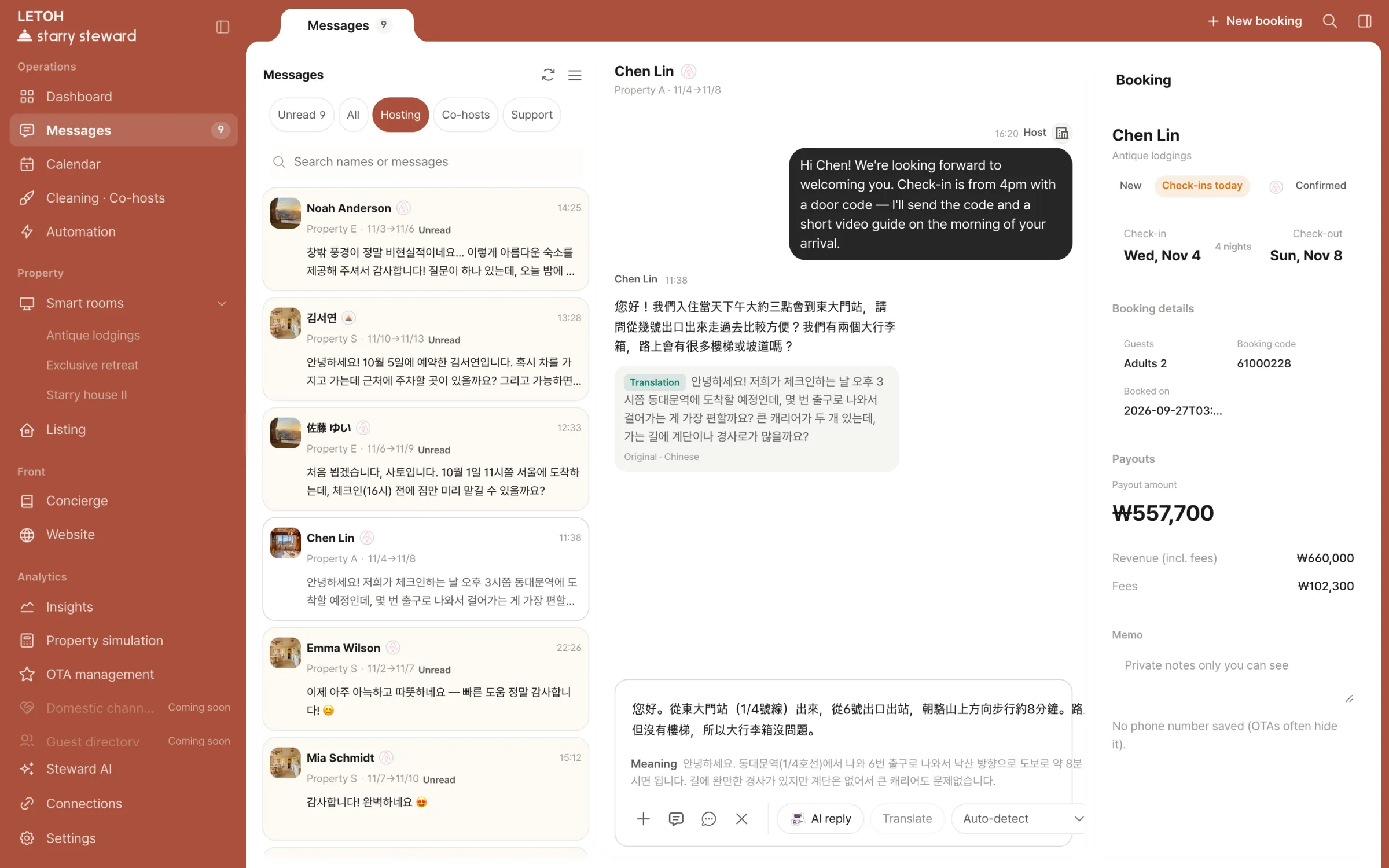
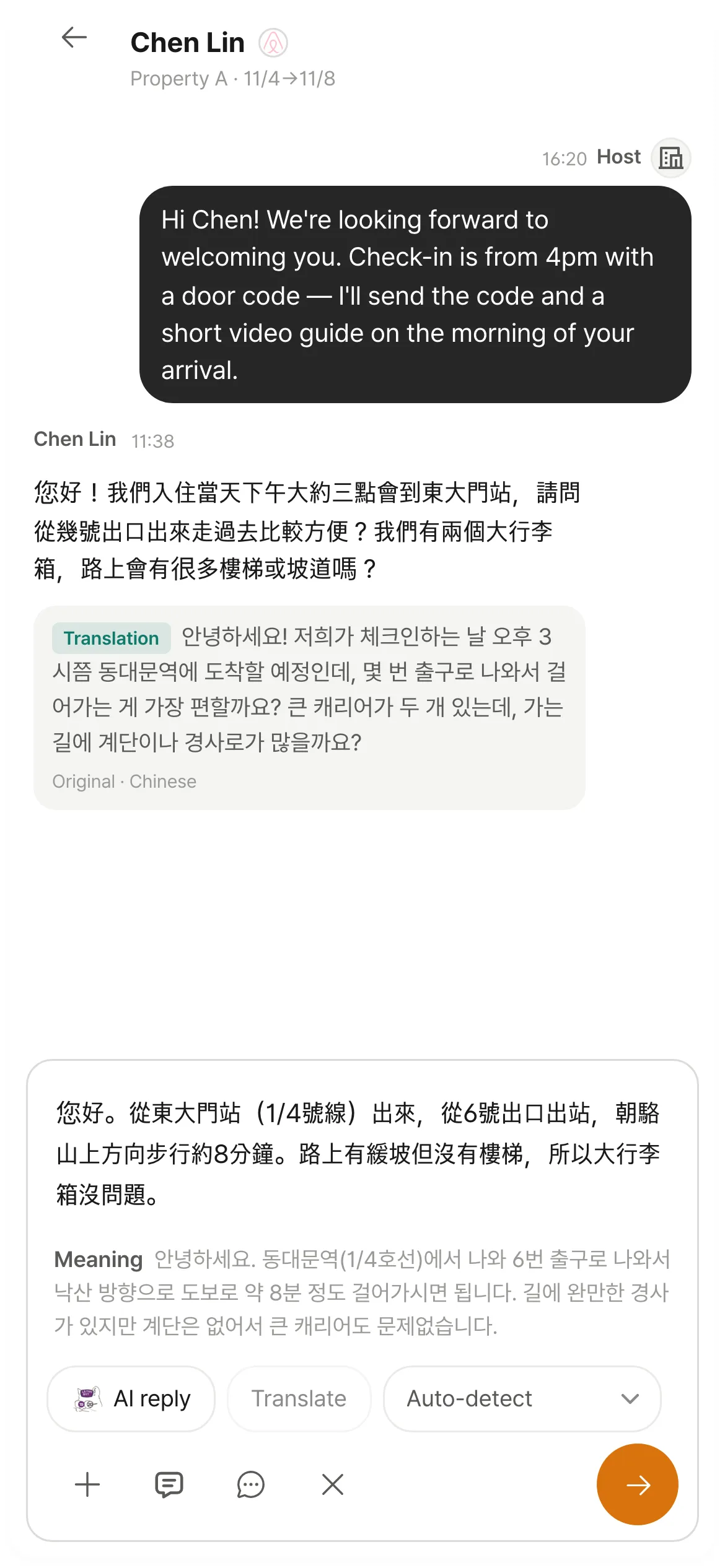
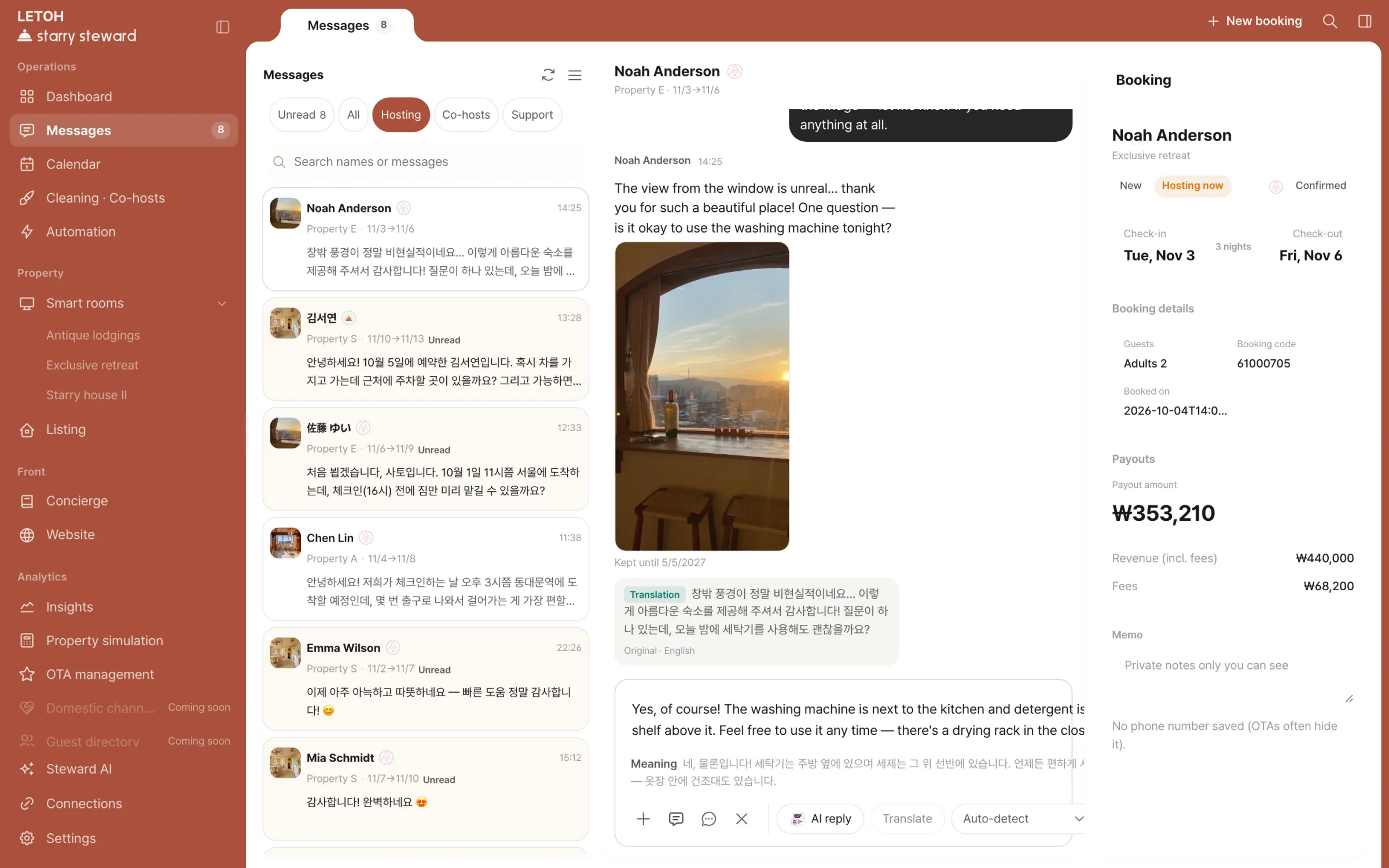
A guest message with its Korean translation
Cleaning card — check-out and next check-in times, assignee, before-cleaning photosCleaning list — date, property, status, photo count, notes, AI reviewAI review — spots to check flagged on after-cleaning photos
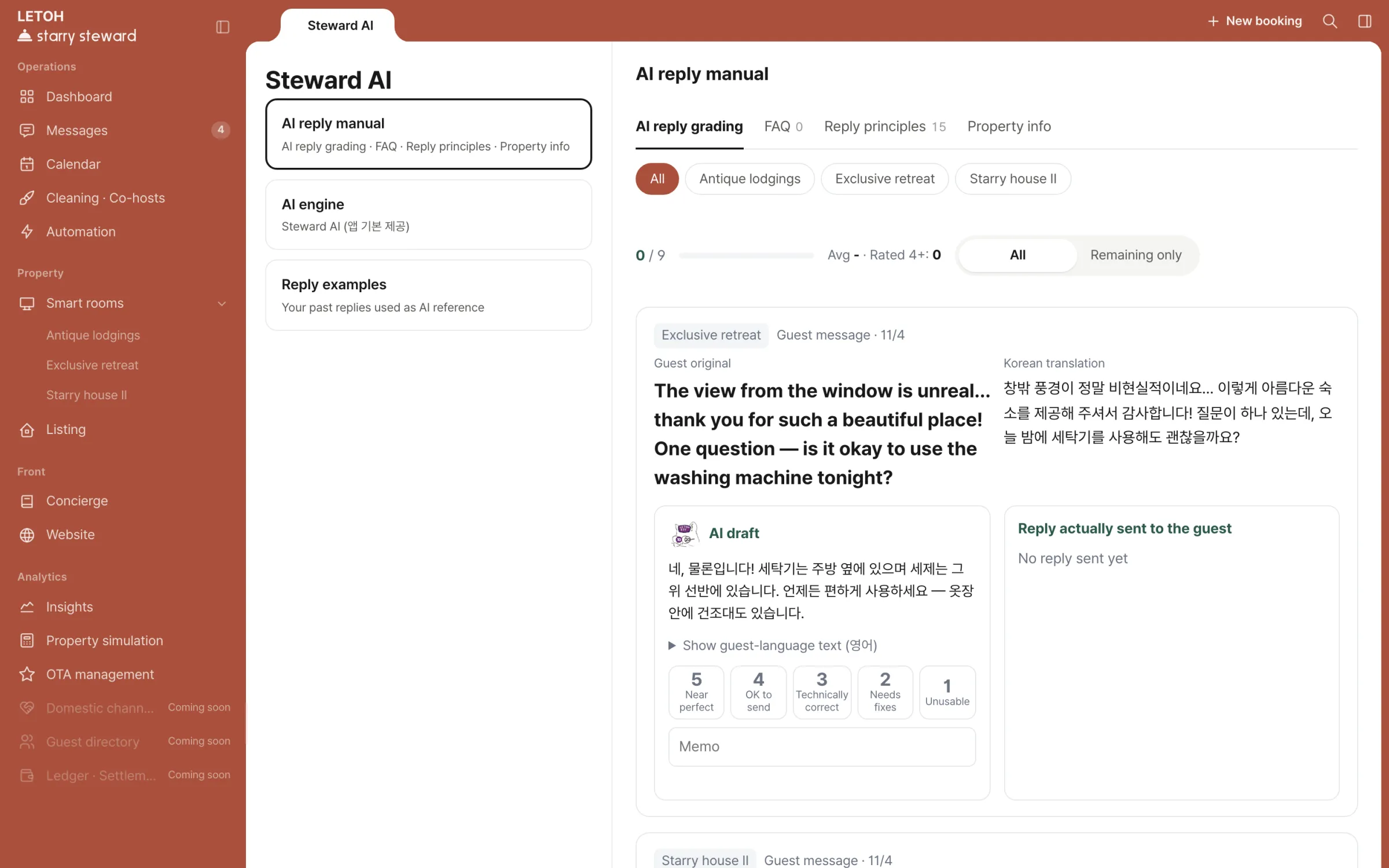
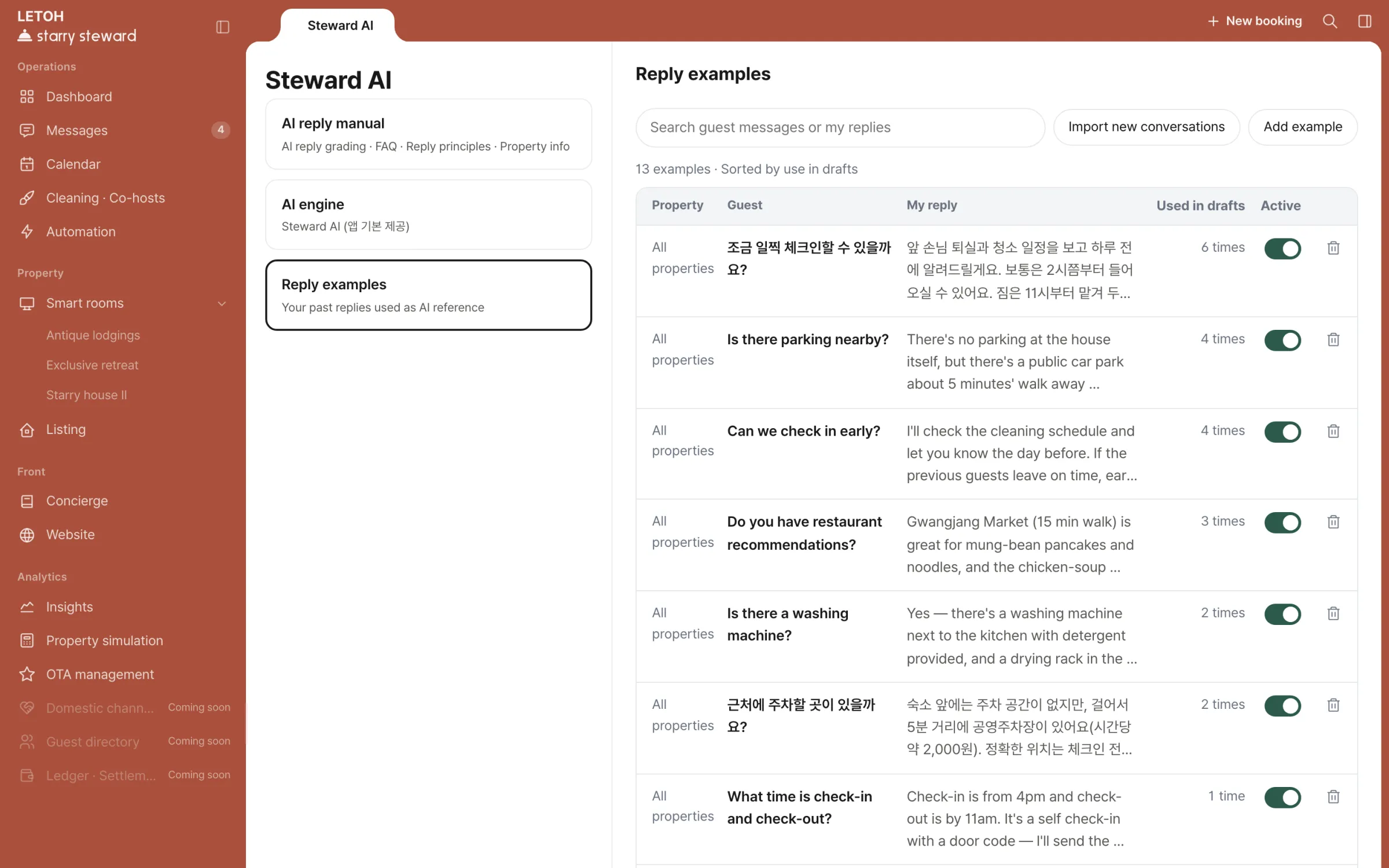
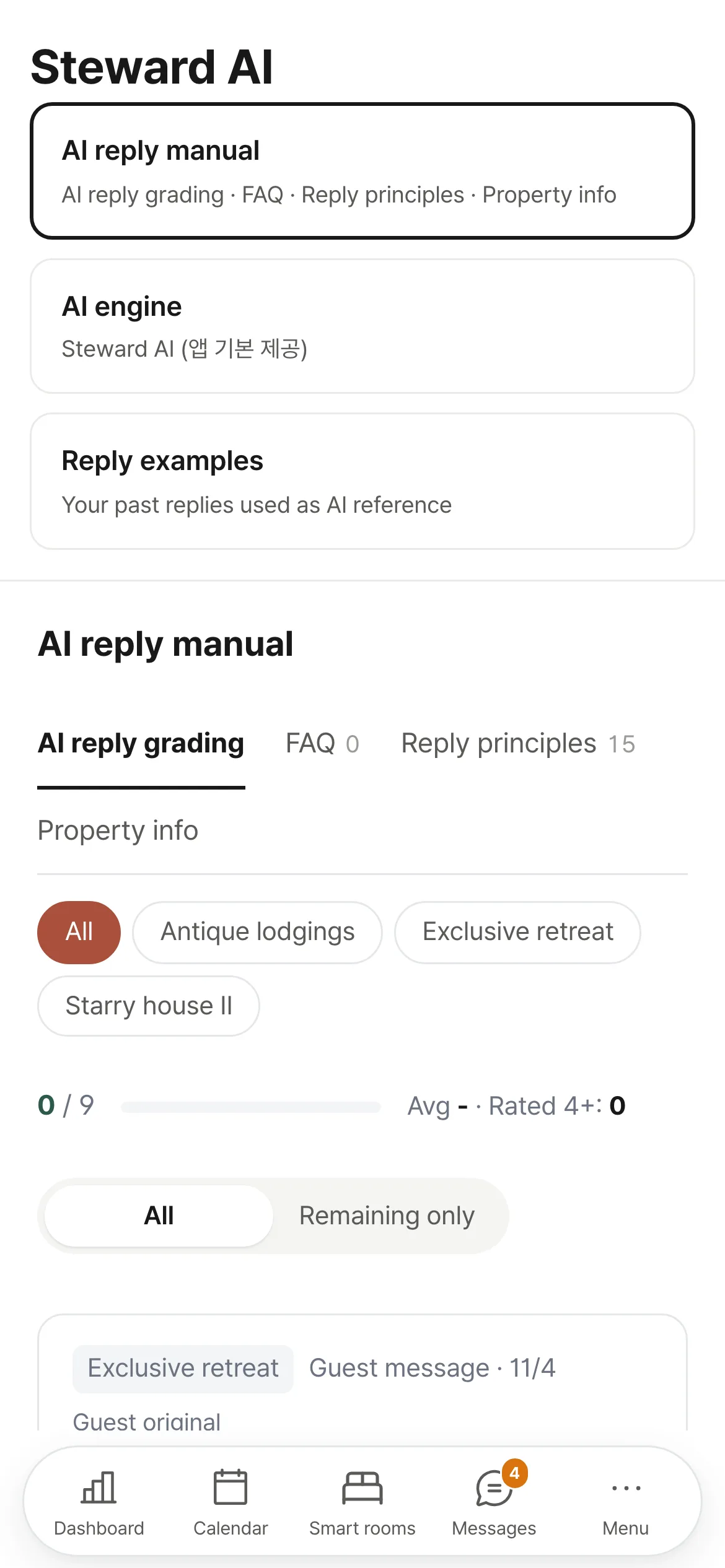
AI reply manual — rating the AI draft against the reply actually sentReply examples — past replies the AI refers to
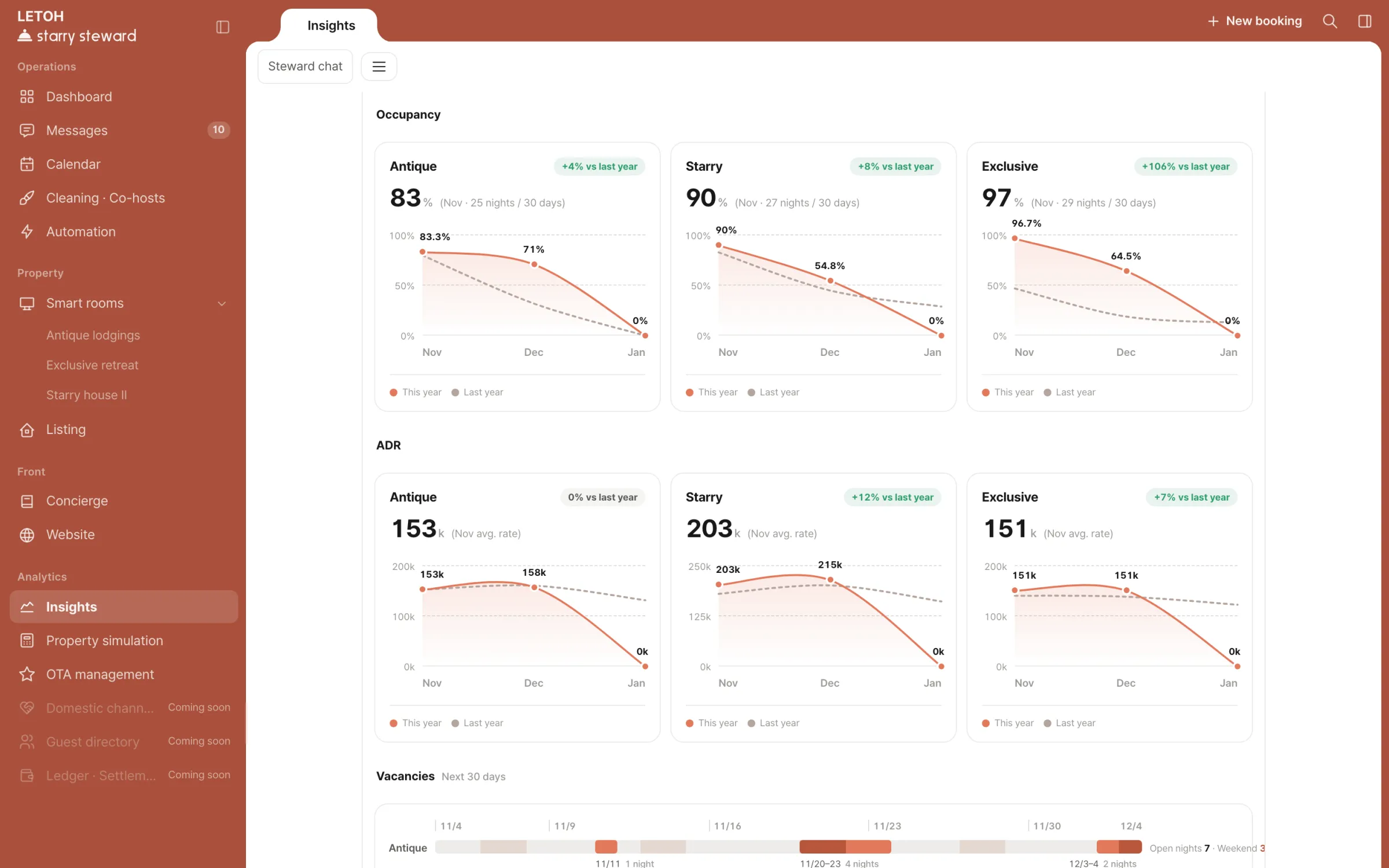
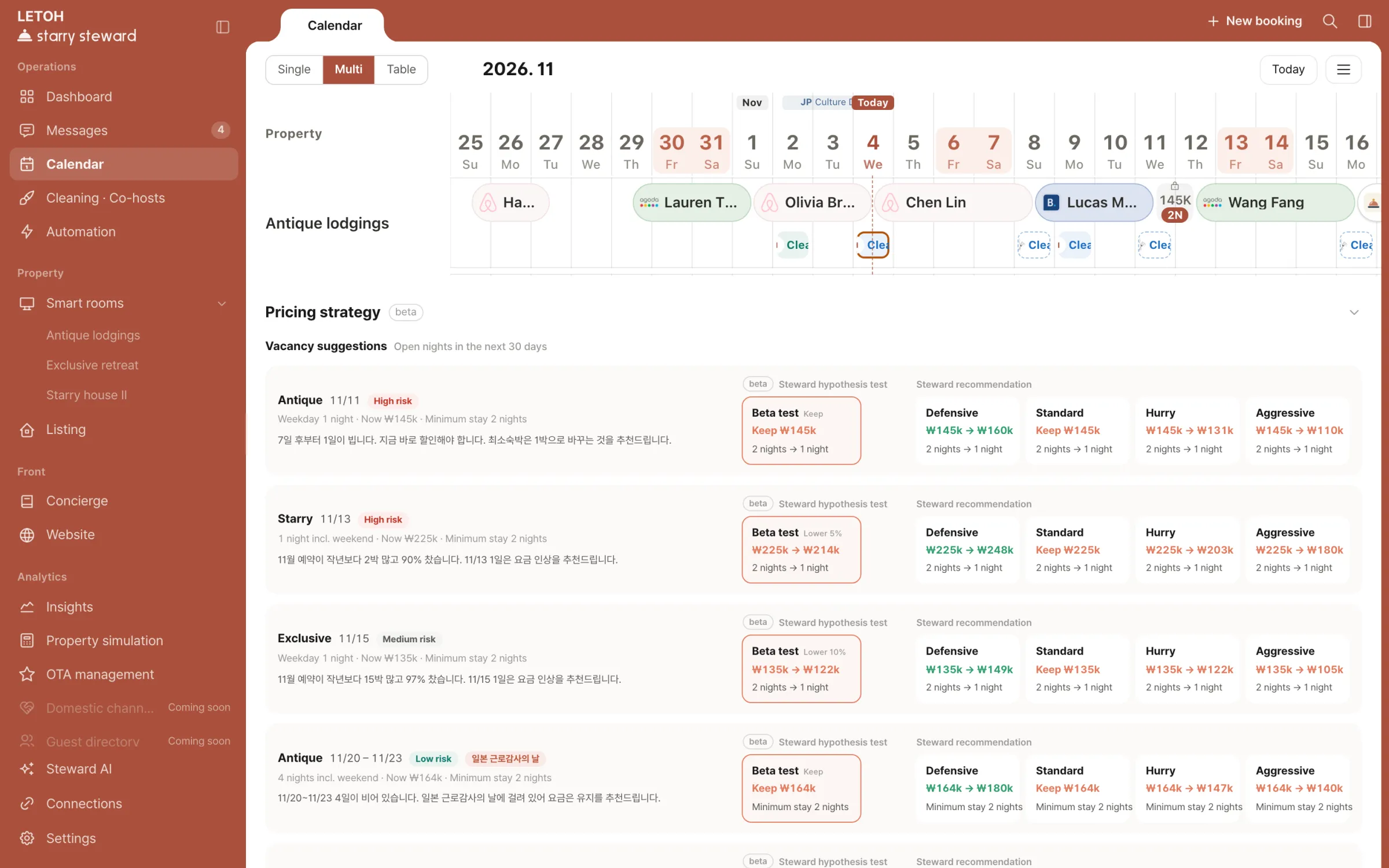
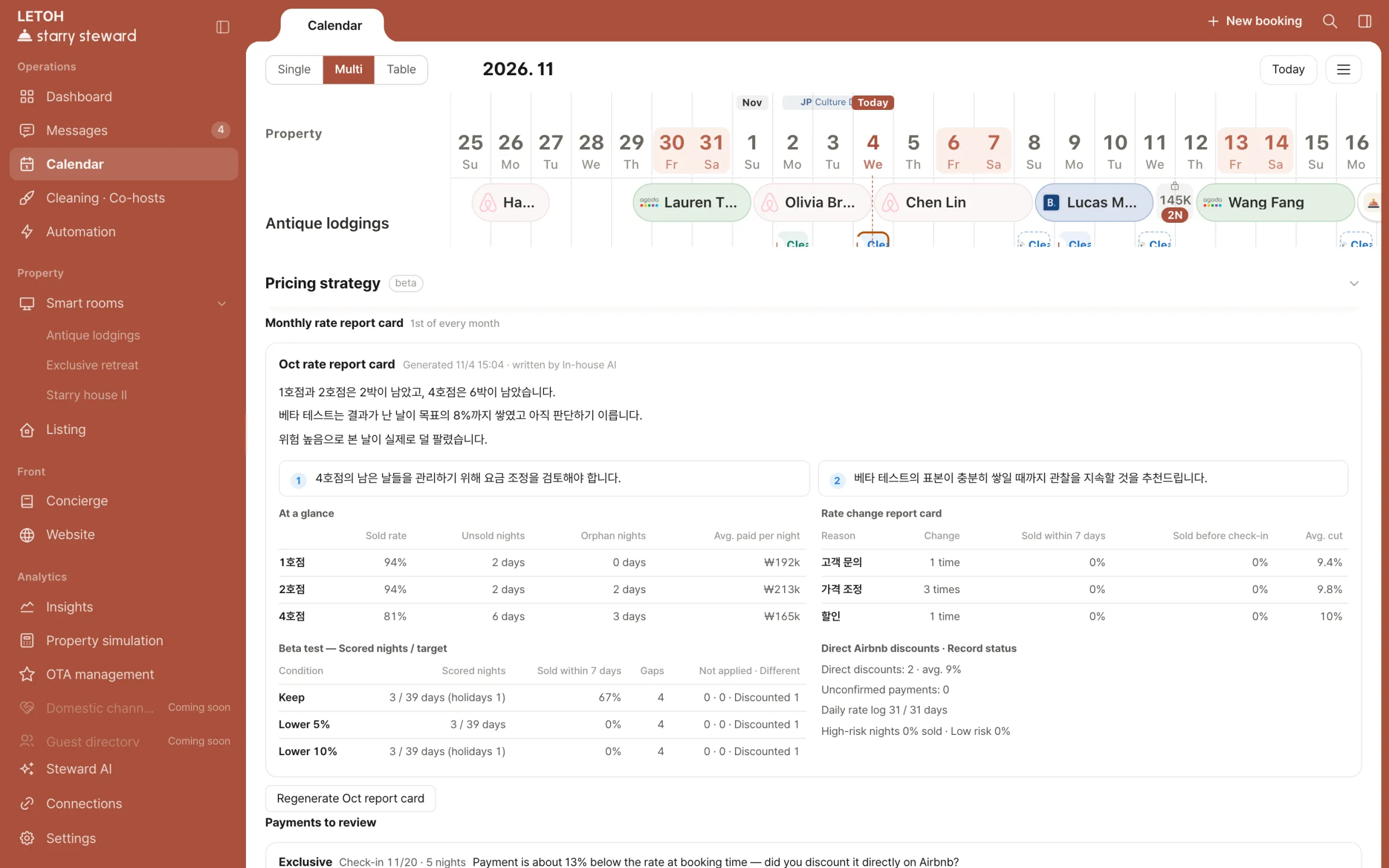
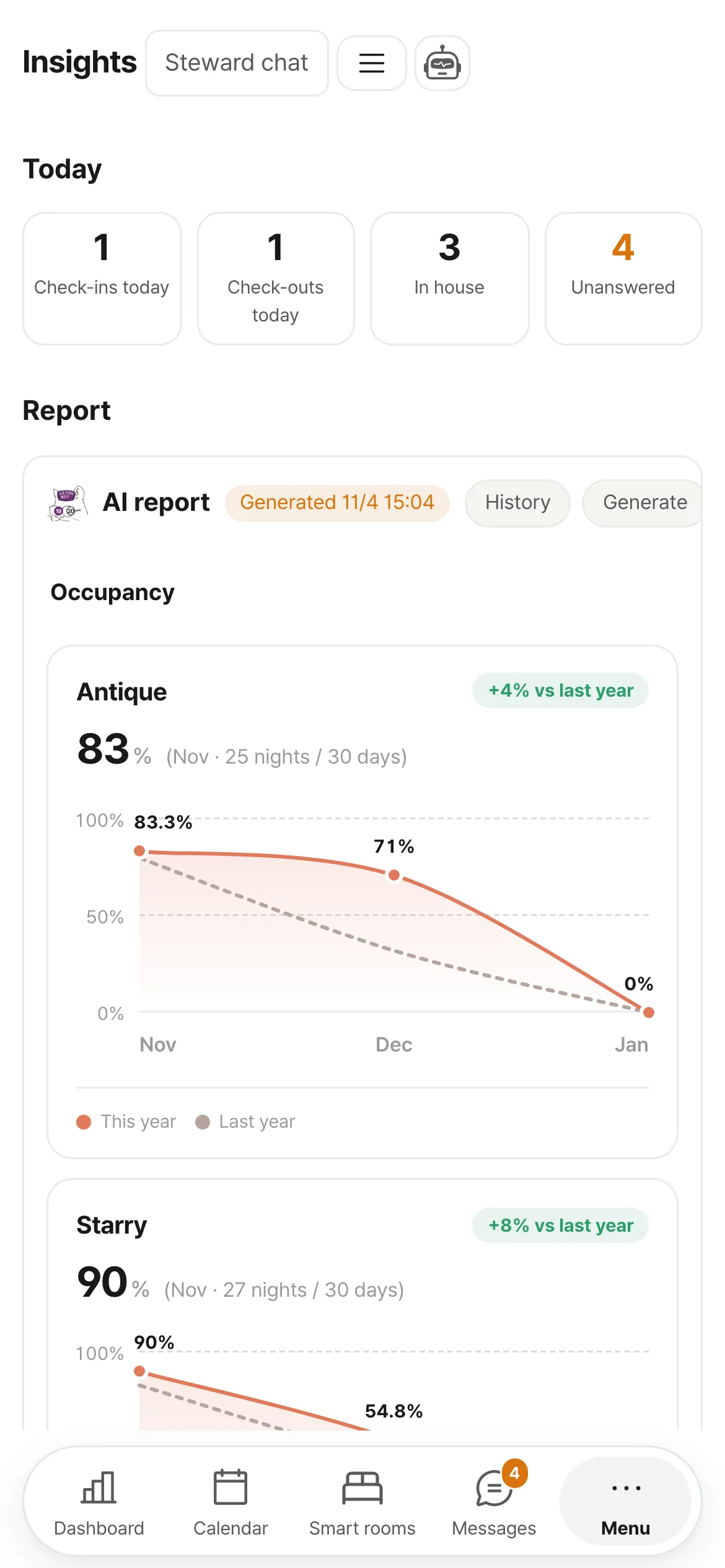
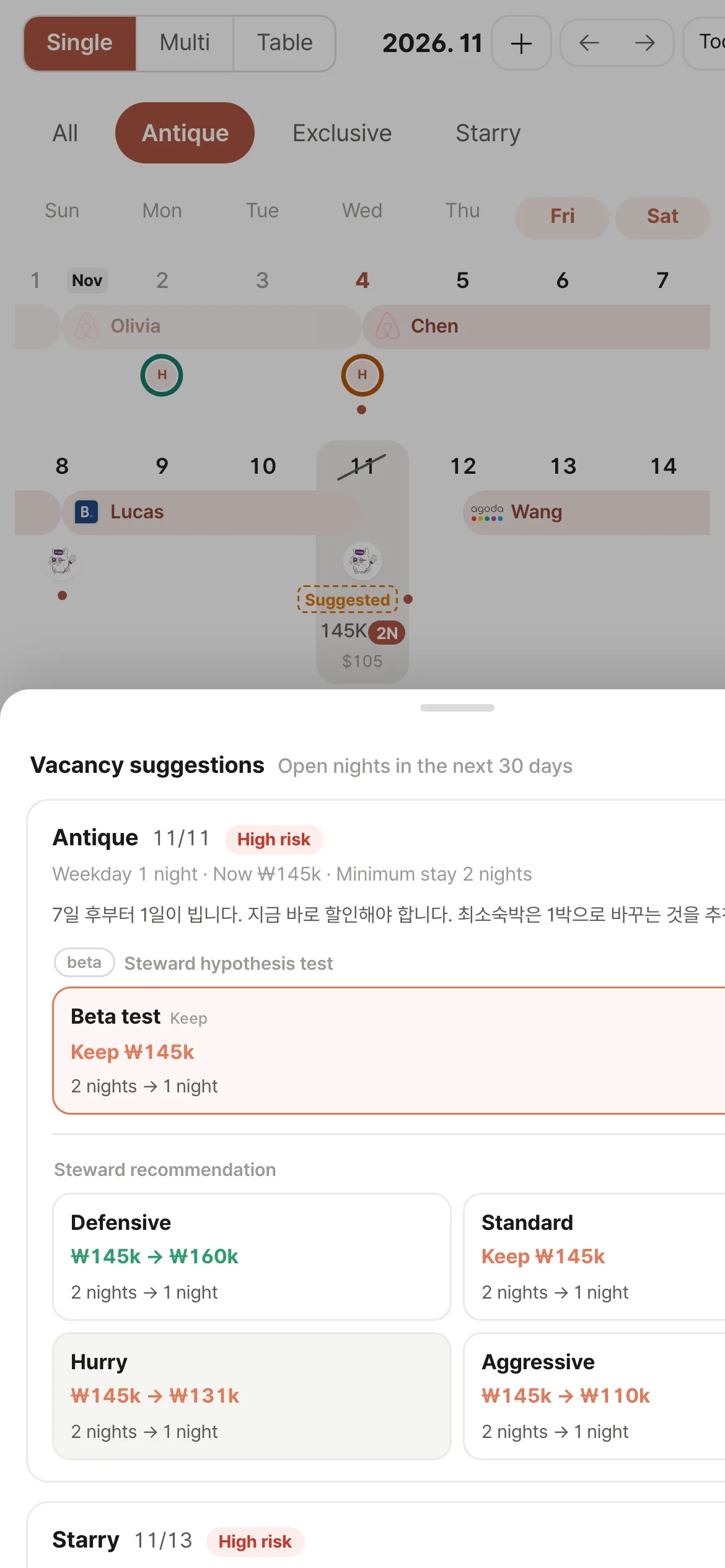
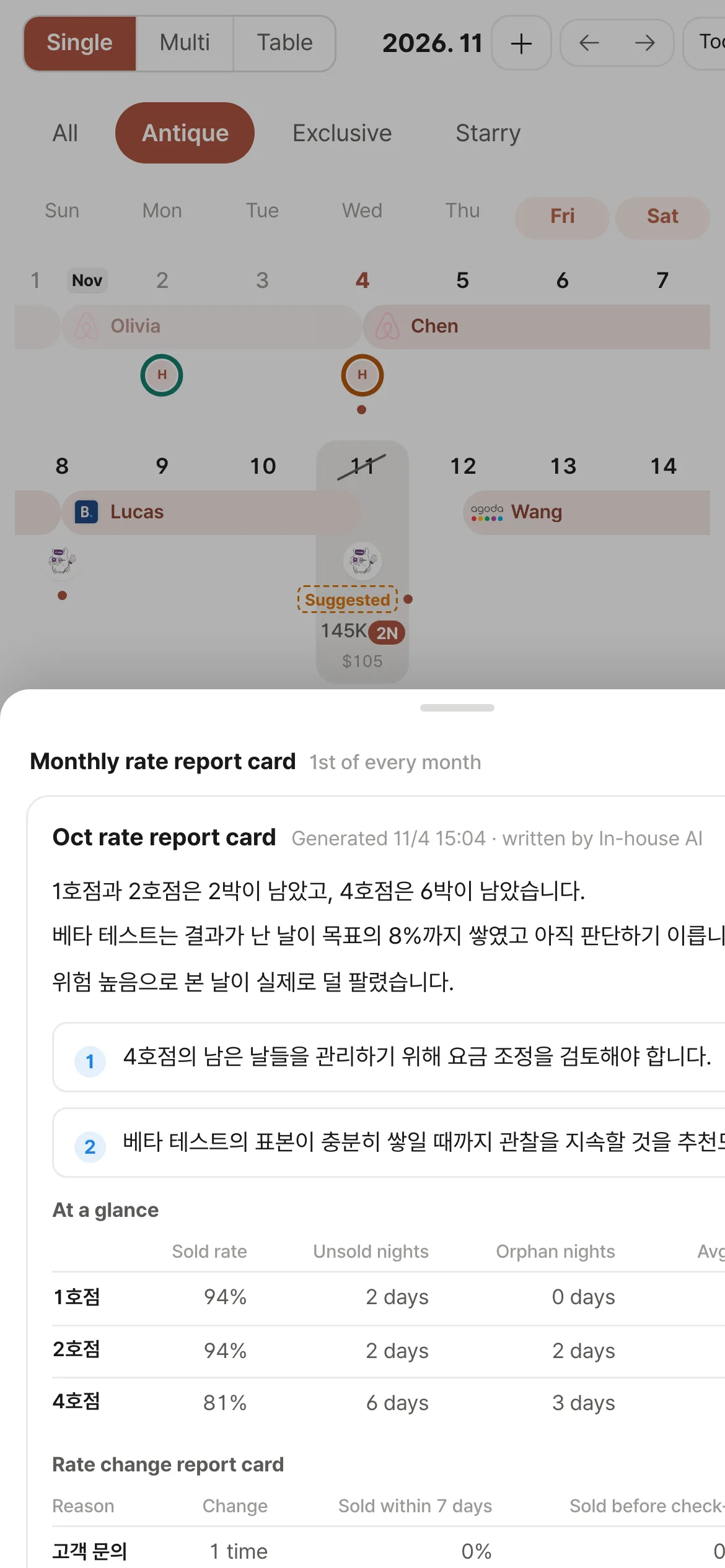
Insights — occupancy, ADR and vacanciesPricing strategy below the calendar — suggested rate and minimum stay for each open datePricing strategy — monthly rate report card
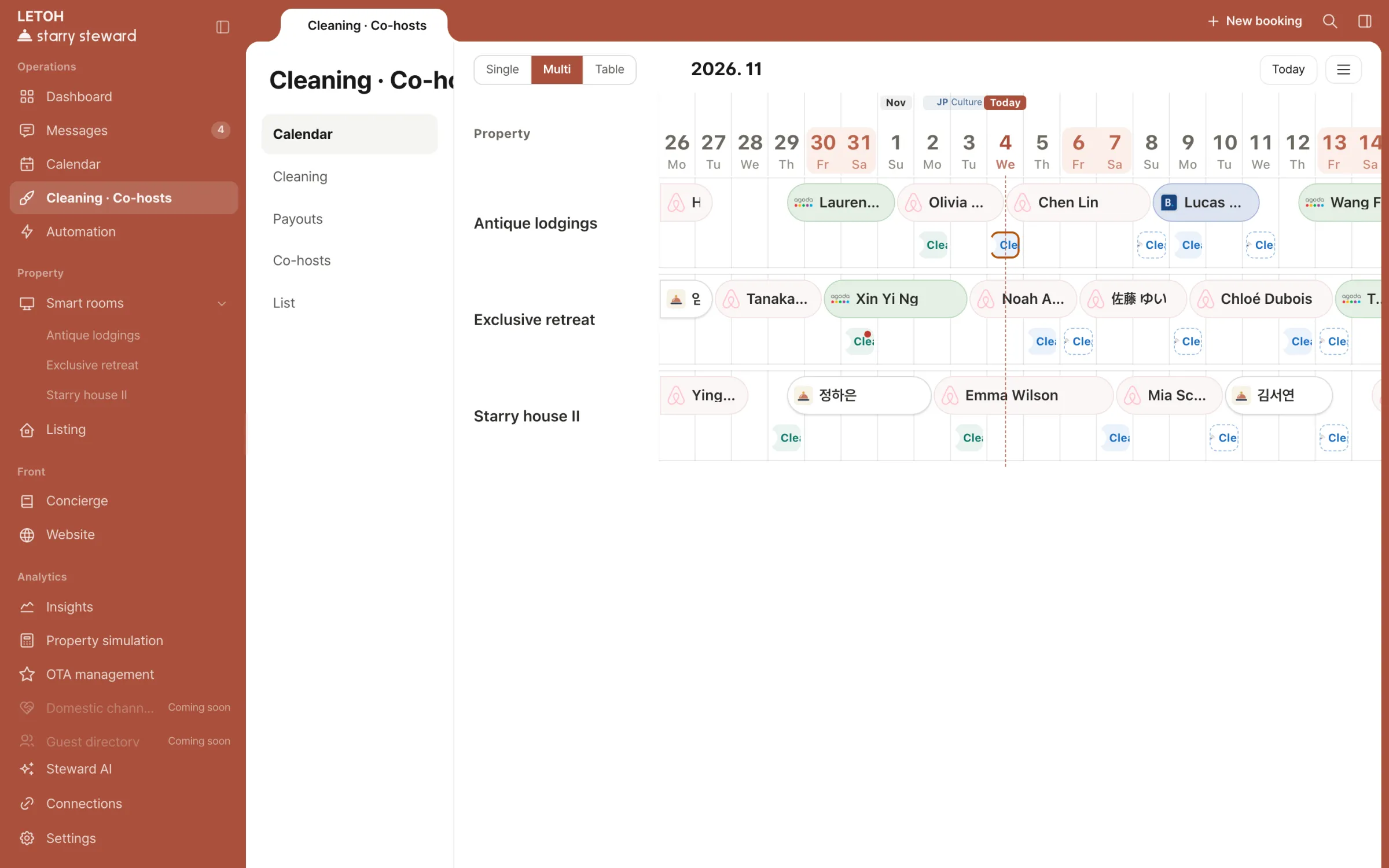
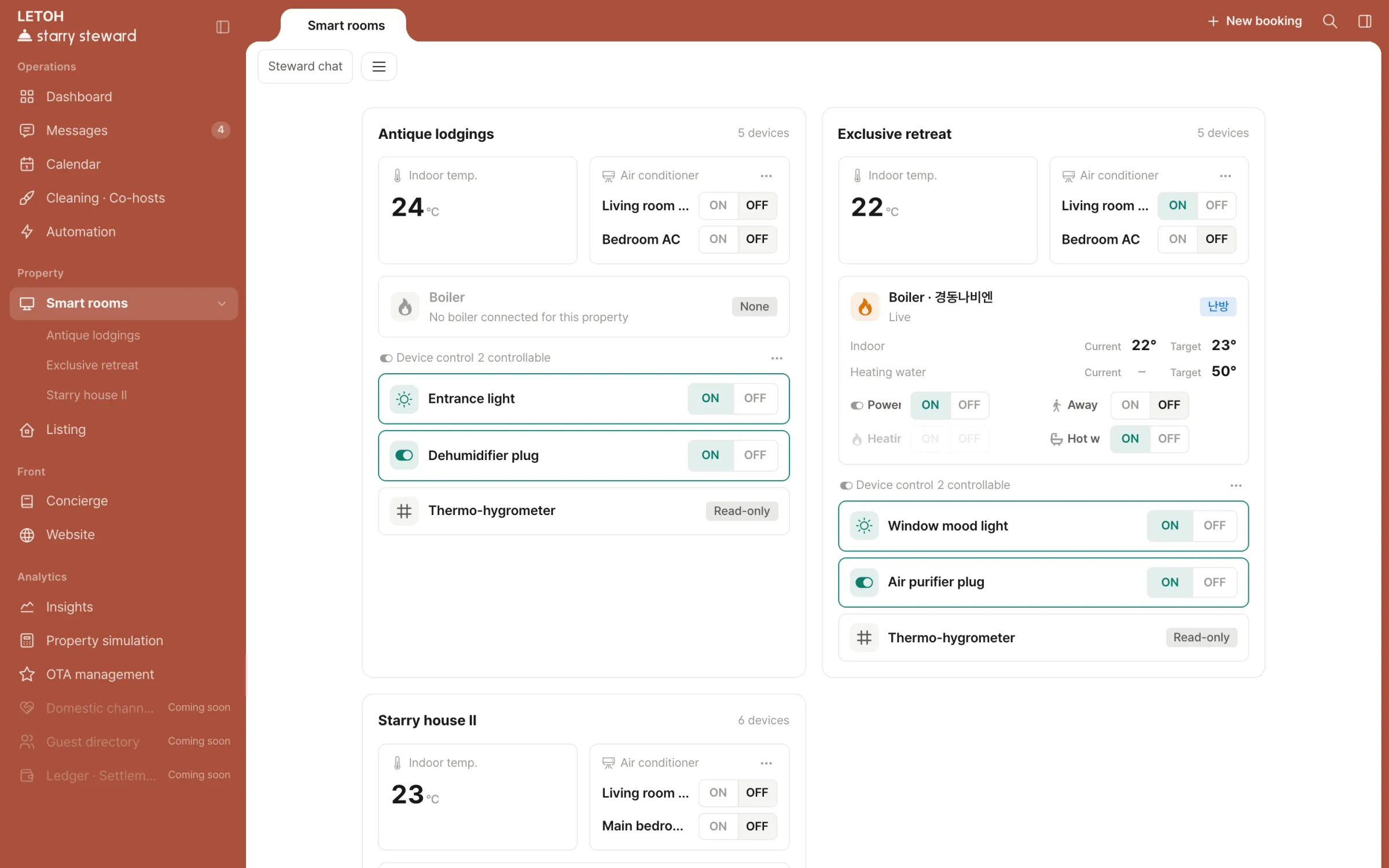
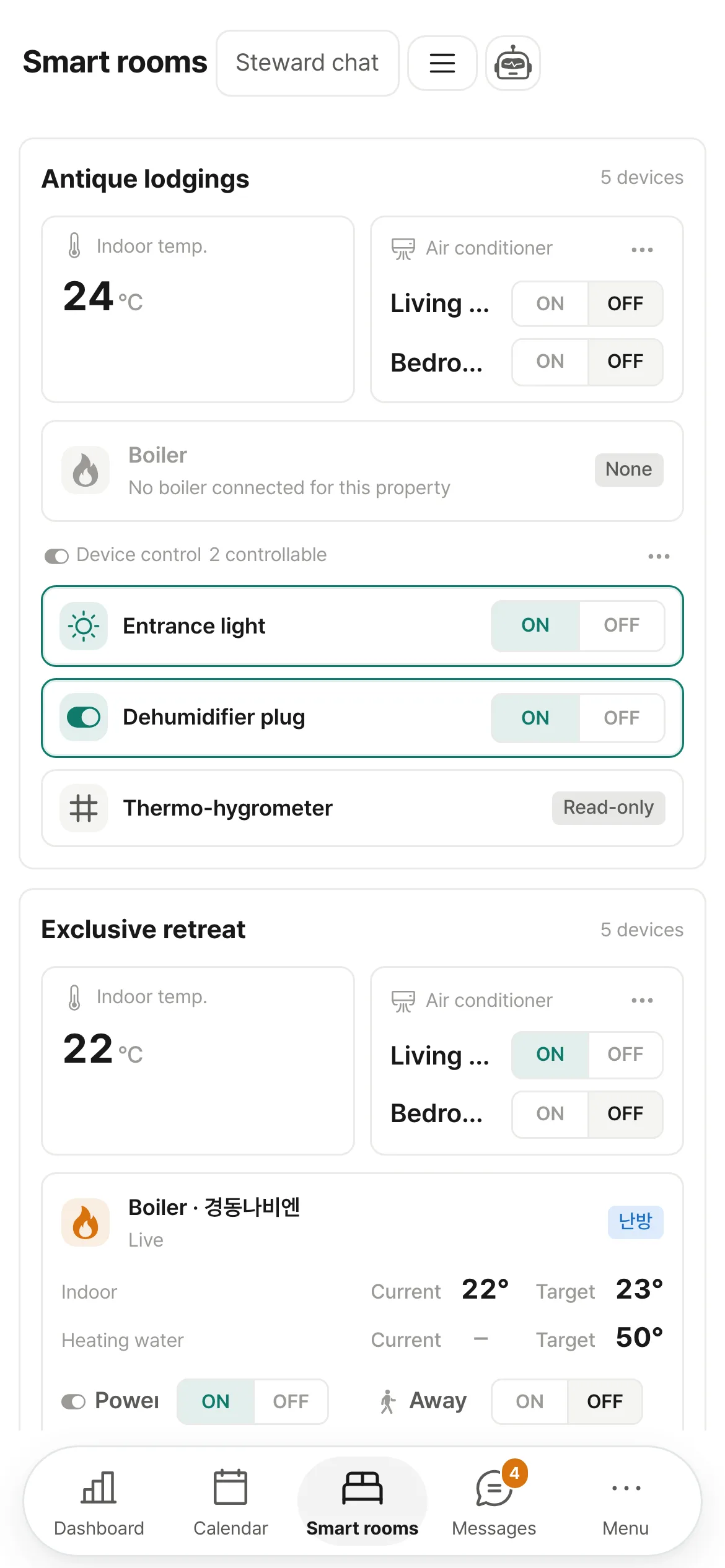
Smart rooms — indoor temperature and devices per property

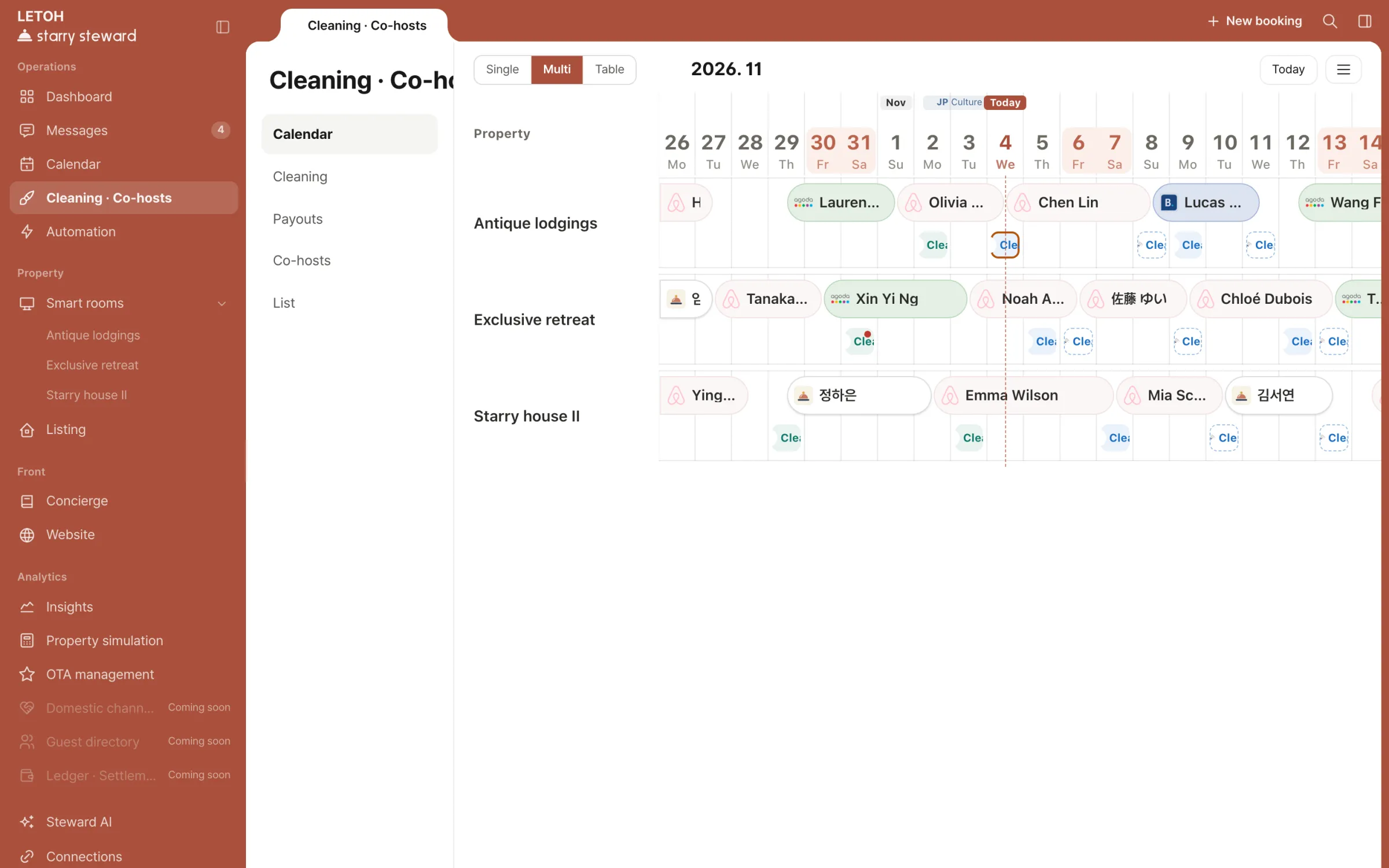
Manage bookings for every property by channel

  1. 1Bookings colored by channel
  2. 2Single calendar
  3. 3Table — party size · nationality · revenue
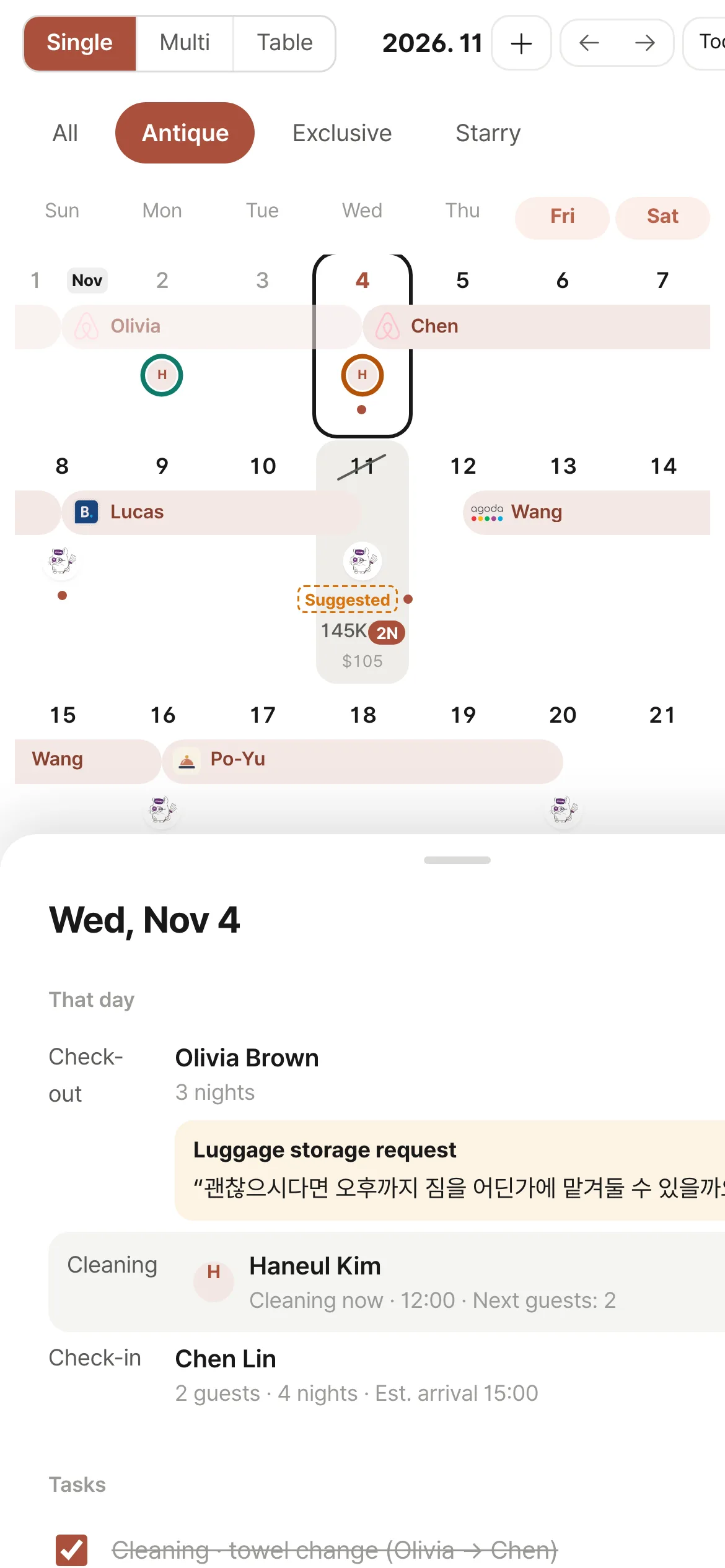
  4. 4Daily schedule

Features

IncludedDashboard

Check your operations every morning

Status by property
Current guest, next guest, indoor temperature.
Weekly calendar
This week’s bookings and cleaning days.
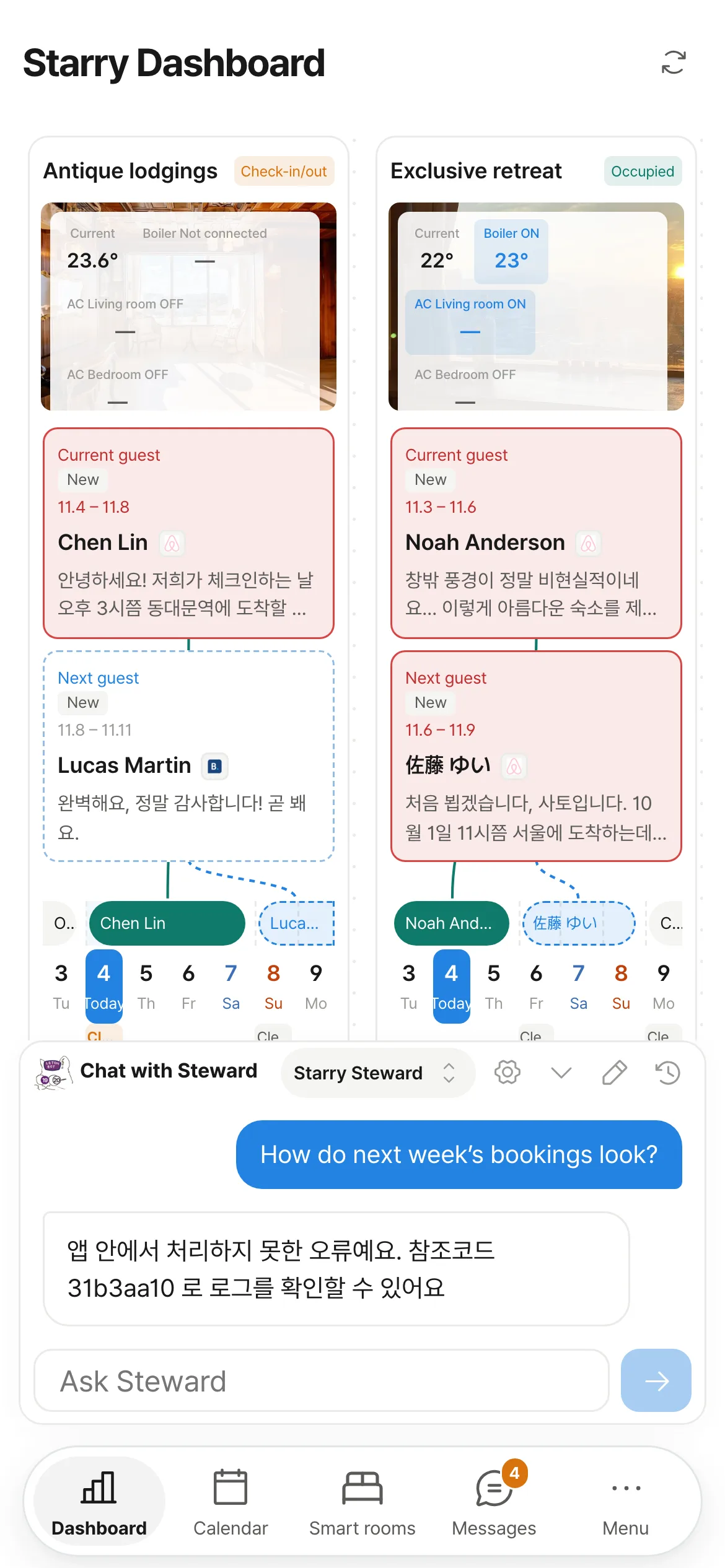
Ask Steward
Answers about bookings, revenue and vacancies from your actual data.
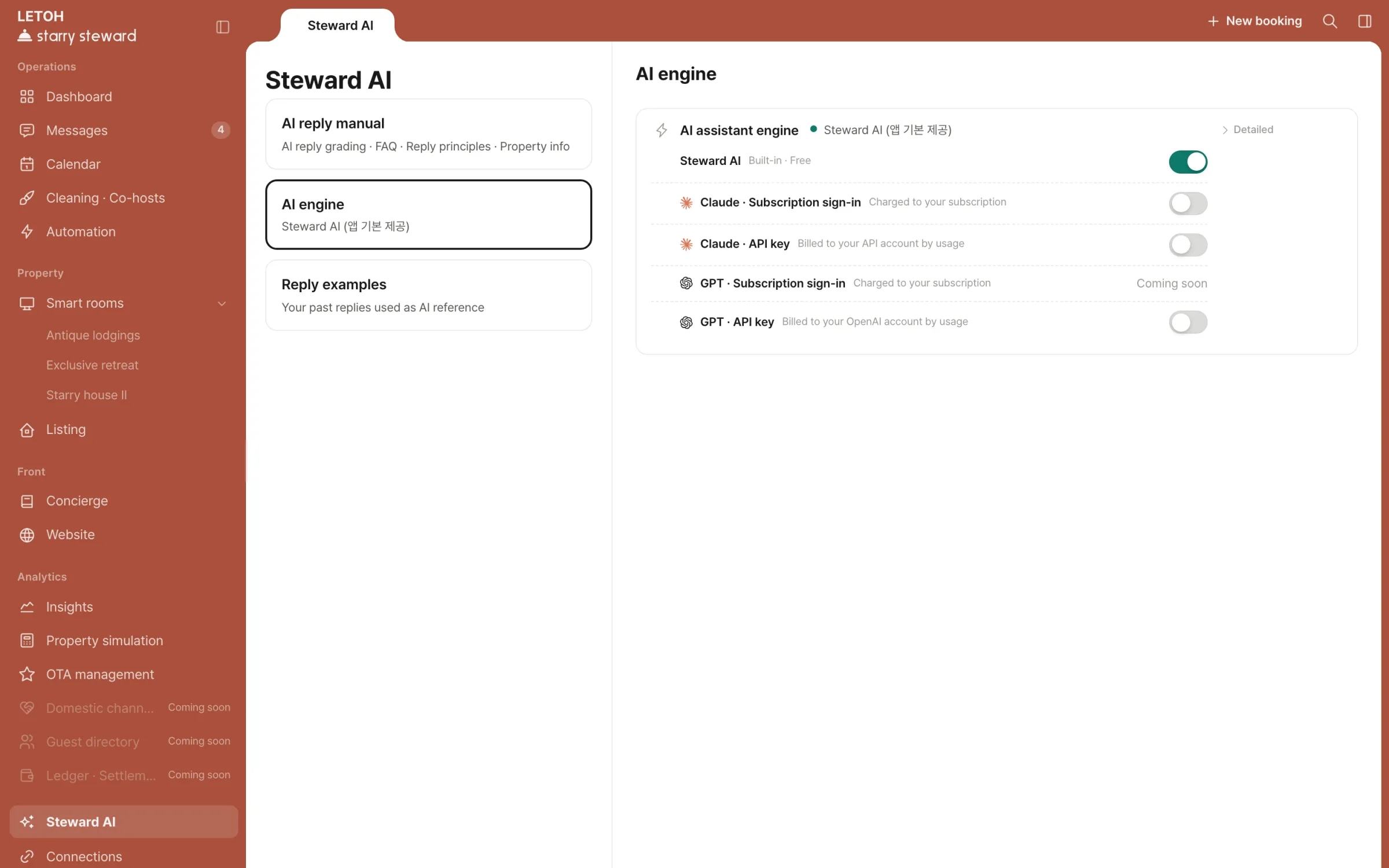
AI engine
Steward AI or your own Claude account.
Display language
Korean · English.
Dashboard — current and next guest per property, with this week’s calendar
Dashboard on mobile
IncludedCalendar

Manage bookings for every property by channel

Multi calendar
Bookings by property, colored by channel, with public holidays in 7 countries.
Single calendar
Rates and minimum stay for open dates.
Rate rules
Period rates ±%, last-minute and early-booking discounts, minimum and maximum stay.
Table
Guest, party size, nationality, revenue and payout in one row.
Daily schedule
Check-out, cleaning, check-in.
Direct bookings
Bookings created in the app are blocked on channel calendars too.
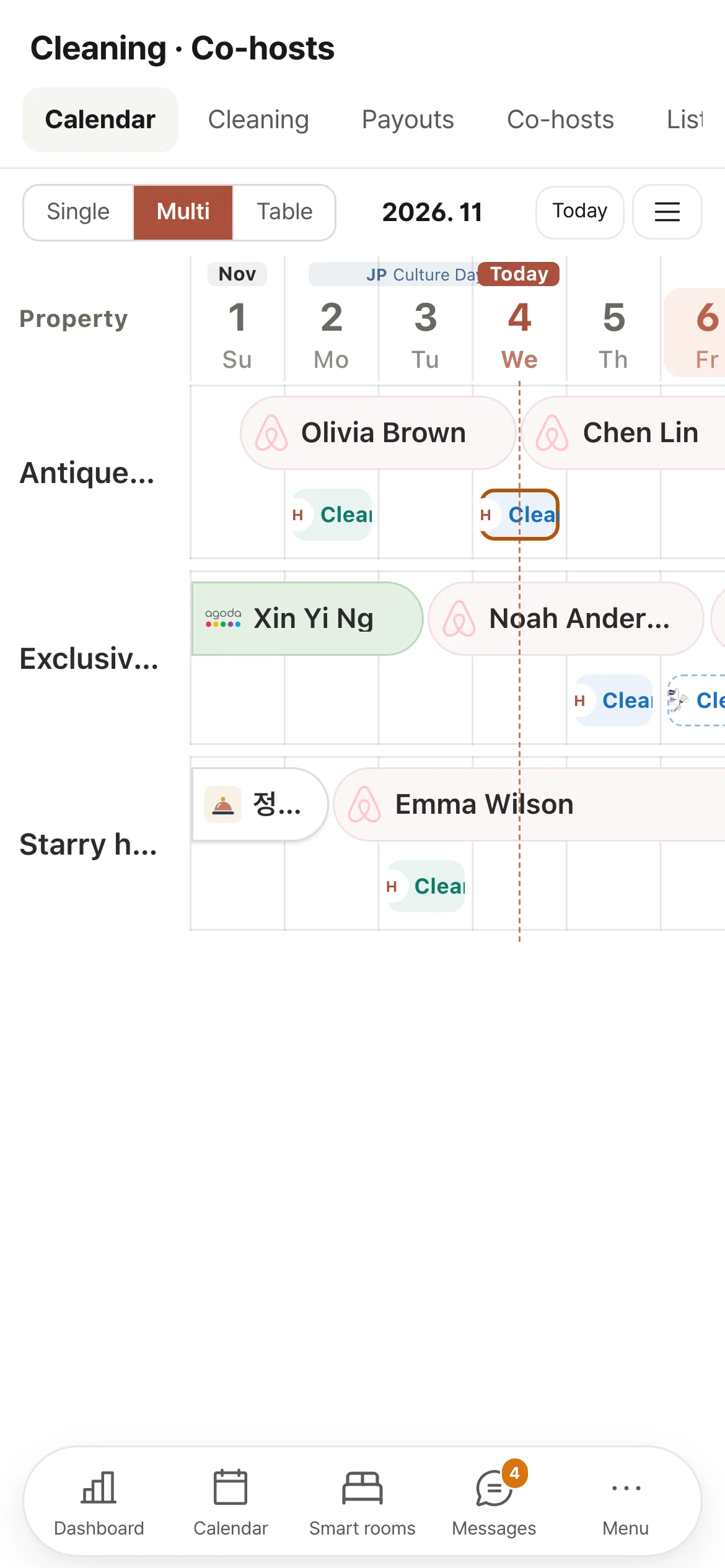
Multi calendar — booking bars per property, colored by channel
Multi calendar on mobile
IncludedMessages

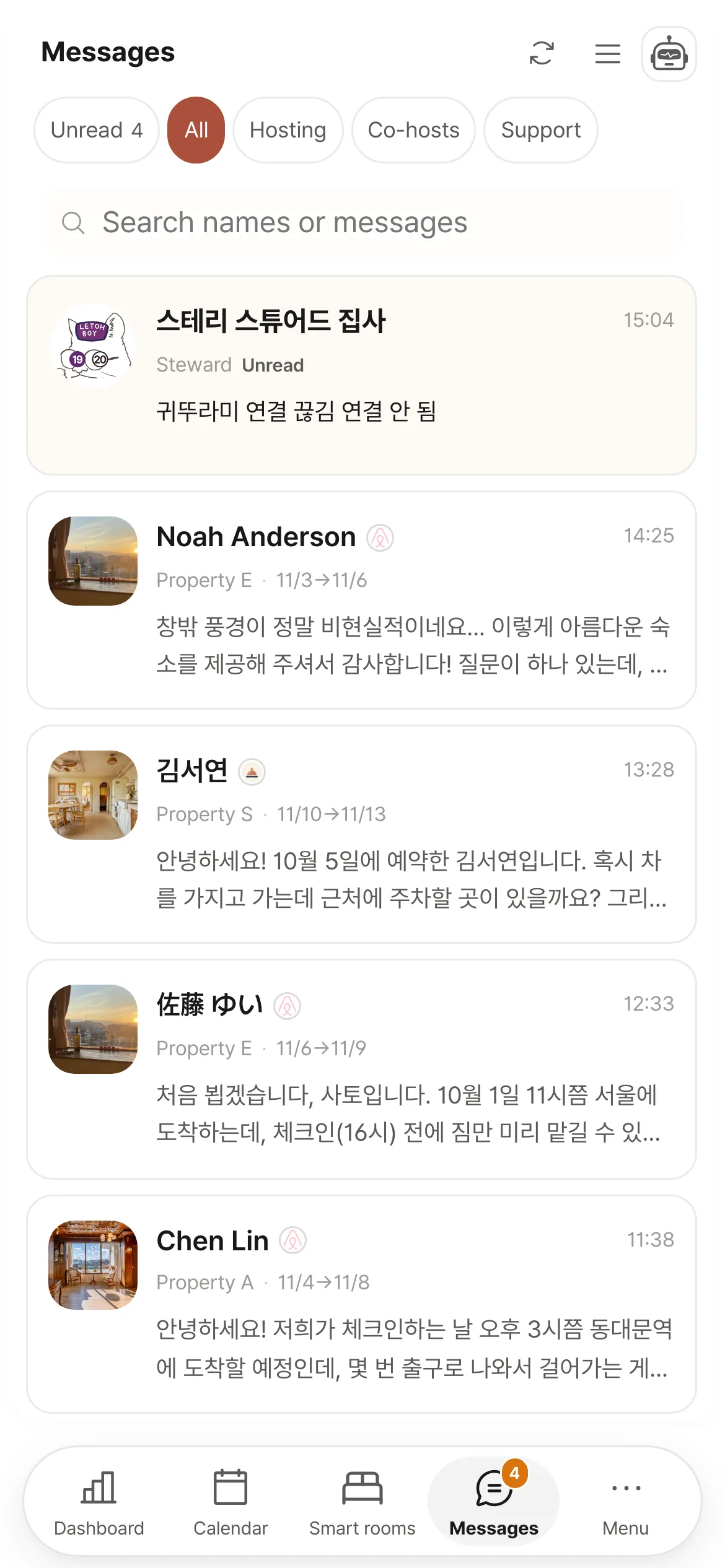
Bring channel messages together, translate and reply

Unified inbox
Guest conversations from each channel and co-host conversations in one list.
Auto-translation
Guest messages into Korean, replies into the guest’s language.
AI replies
Suggestions written from booking details. The operator does the sending.
Scheduled send · Quick replies
Set a send time, or send a saved reply right away.
Notifications
Go straight from a new message to the conversation.
Messages — guest message translation and AI reply suggestion
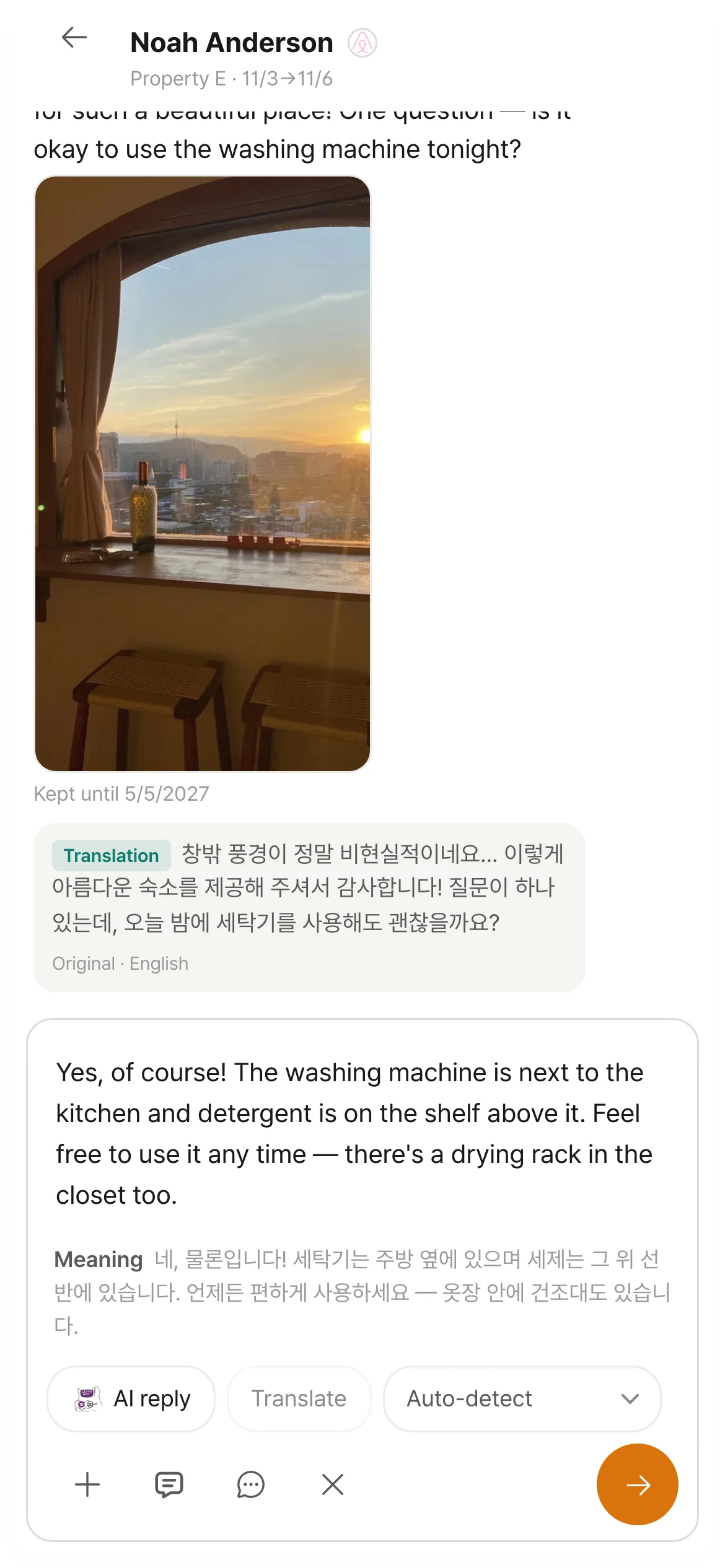
Messages on mobile — translation and AI reply suggestion
IncludedCleaning · Co-hosts

Track cleaning schedules and photos in one place

Cleaning schedule
Created for every check-out. Add deep cleans and inspections yourself.
Cleaning card
Check-out and next check-in times, the departing guest’s messages, assignee.
Before and after photos
Uploaded from a phone, reviewed in the app.
AI review
Looks at after-cleaning photos and flags spots to check.
Settlement
Number of cleanings and amounts. Daily, weekly, monthly.
Co-hosts
Invite with assigned properties and permissions. Added to your plan.
Cleaning card — check-out and next check-in times, assignee, before-cleaning photos
Cleaning on mobile
IncludedSteward AI

Match AI replies to your own tone

Reply grading
Place the AI draft next to the reply you sent and rate it on a 5-point scale.
FAQ
Write down frequent questions and their answers.
Reply principles
Your tone and the lines not to cross.
Reply examples
Your past replies that the AI refers to.
AI engine
Steward AI by default. Your own Claude account works too.
AI reply manual — rating the AI draft against the reply actually sent
AI reply manual on mobile
IncludedInsights

Decide rates and new properties with data

Occupancy · ADR
Compared with the same point last year.
Vacancy suggestions
Four rate levels and a minimum stay for each open date in the next 30 days.
Push to channels
Applied to channel calendars after you confirm.
Price floor
Never suggests a rate below the amount you set.
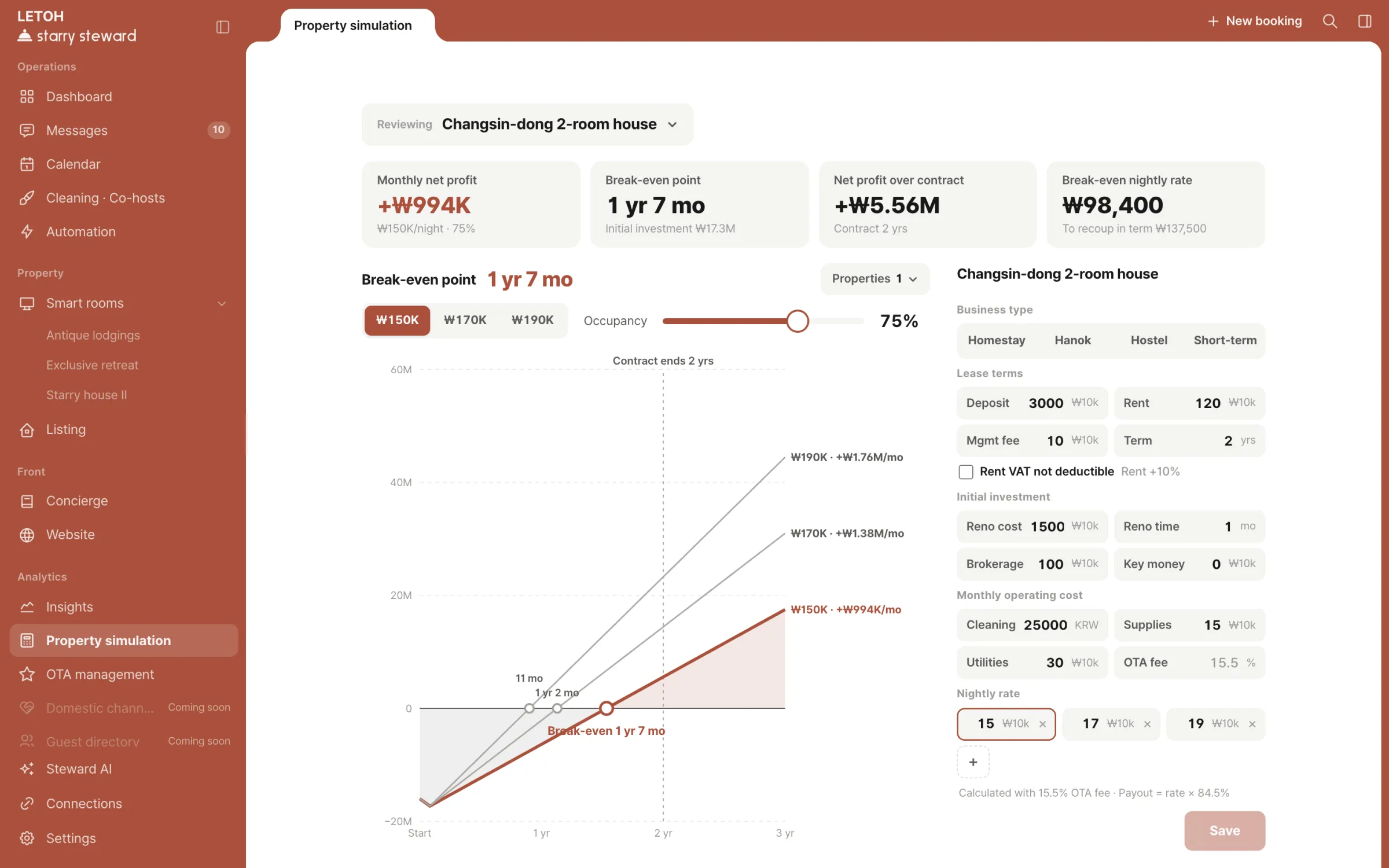
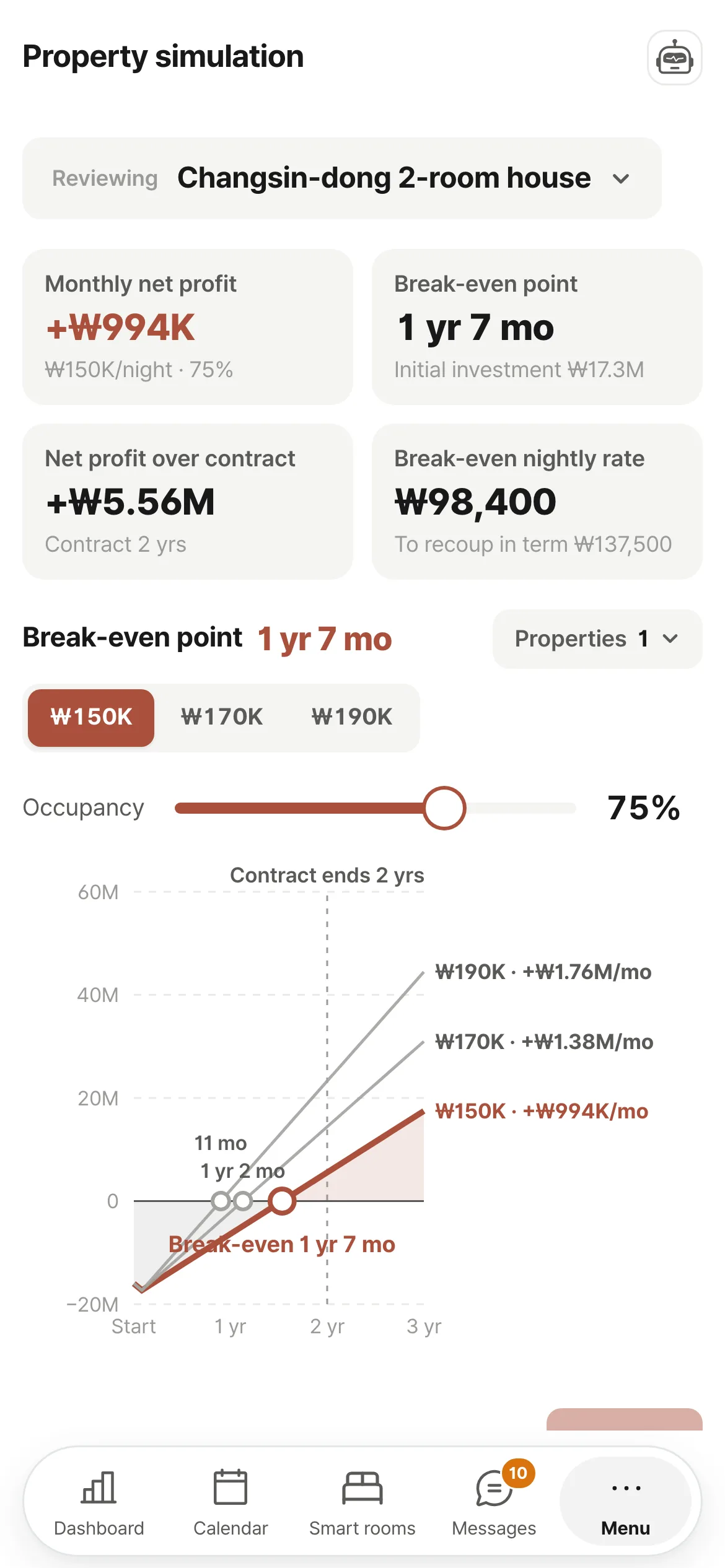
Property simulation
Break-even point and cumulative net profit over the lease for a candidate property, compared with your operating properties.
Insights — occupancy and ADR compared with last year
Insights on mobile
Add-onDynamic pricing₩5,500/month

Analyze competitors and market conditions

Rate experiments
Compare open-date rates kept as they are, at 5% and at 10%. (beta)
Monthly report card
Results of rate changes, summarized every month.
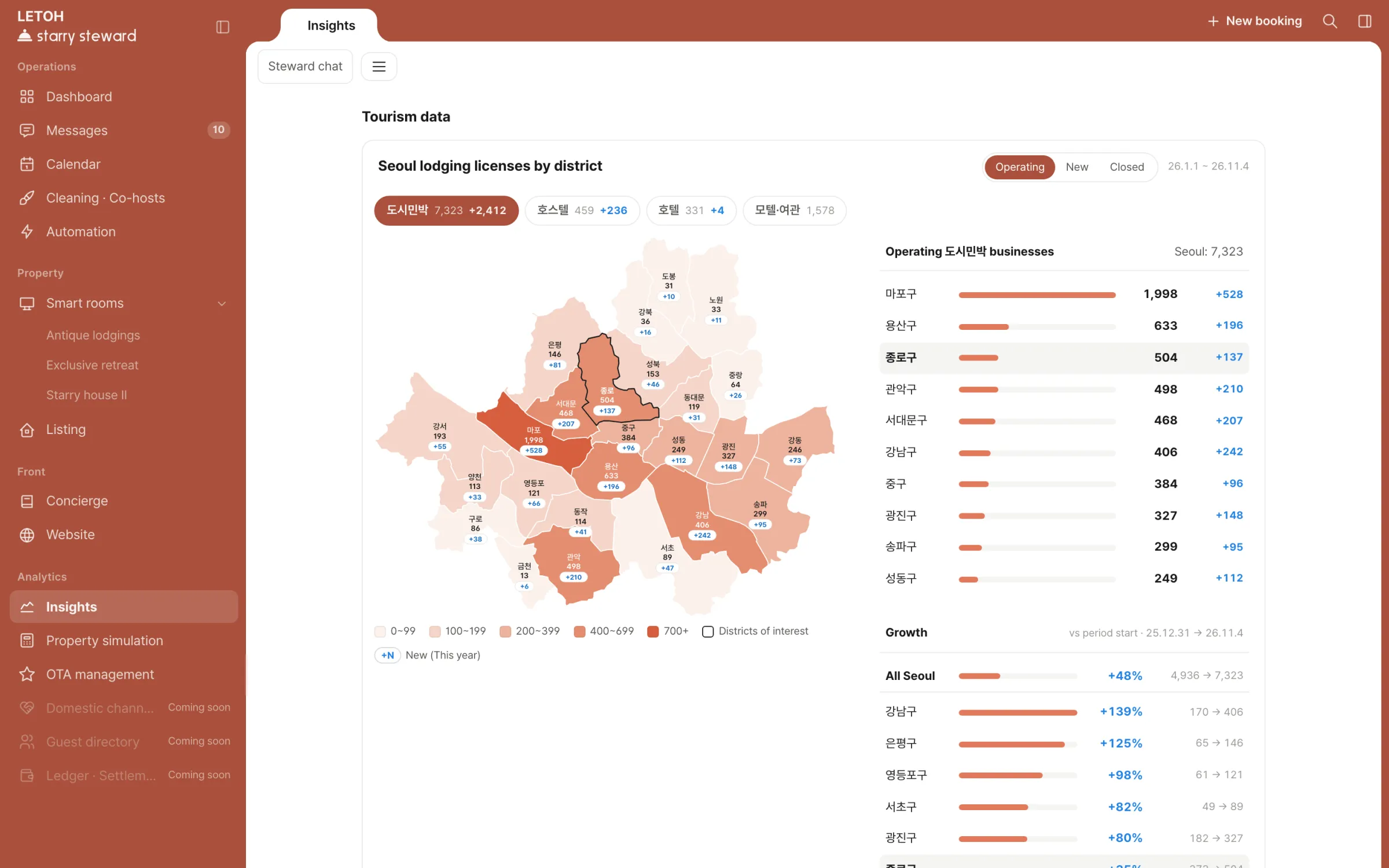
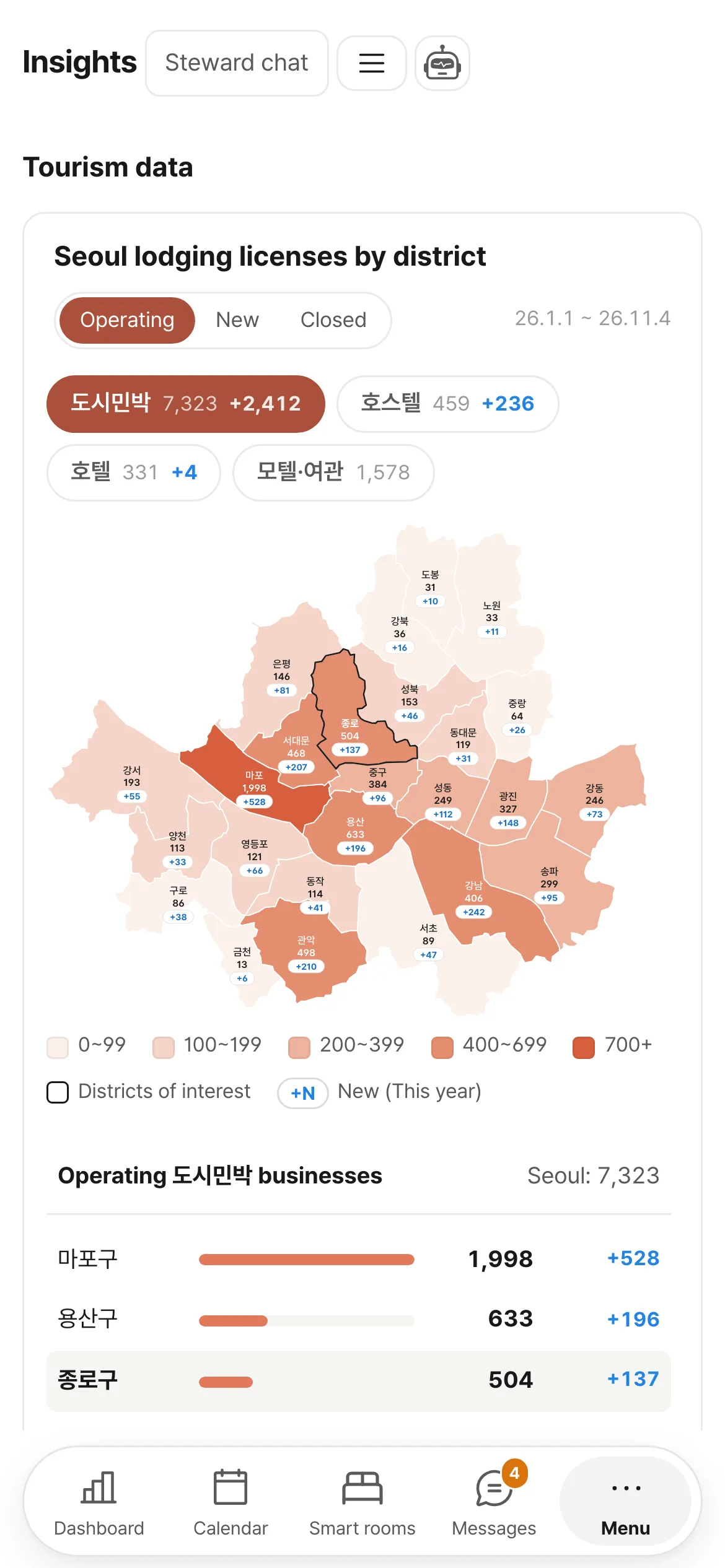
Tourism data
Visitors and operating accommodations by Seoul district. Public data.
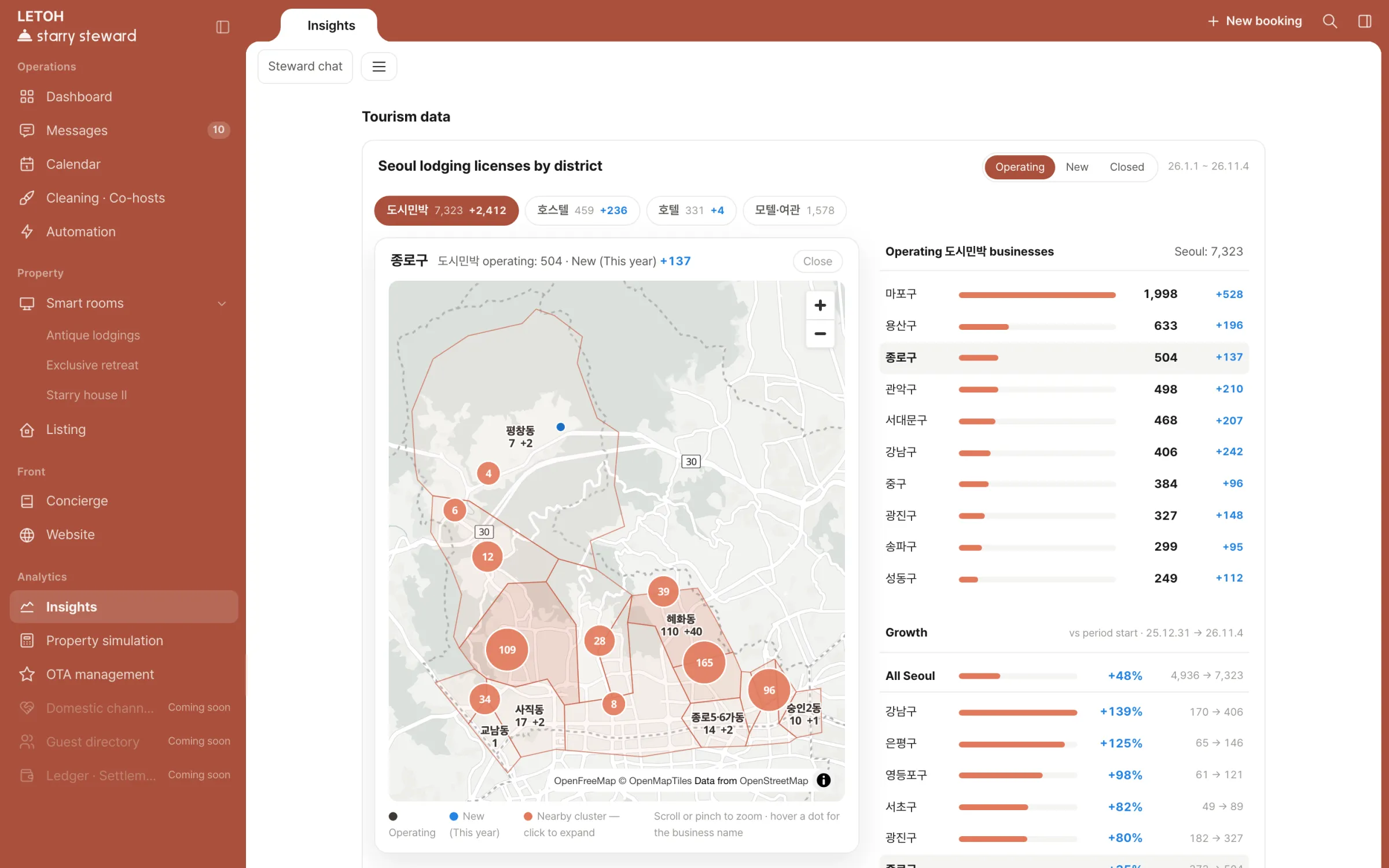
Neighborhood map
Nearby accommodations and newly opened ones.
Tourism data — map of operating accommodations by Seoul district
Tourism data on mobile
Add-onSmart rooms₩8,250/month

Manage in-room devices remotely

Status by property
Indoor temperature, boiler, air conditioner, lights, plugs.
Remote control
Turn devices on and off with the same switch.
Check-out detection
Turns off the air conditioner once check-out is confirmed. Can be switched off in Automation.
Device assignment
Assign each device to a property. Multiple SmartThings locations.
Supported devices
SmartThings-connected devices. Device purchase and installation cost extra.
Smart rooms on mobile
Add-onConcierge₩8,250/month

Run a guest guide website and chatbot

Guide website
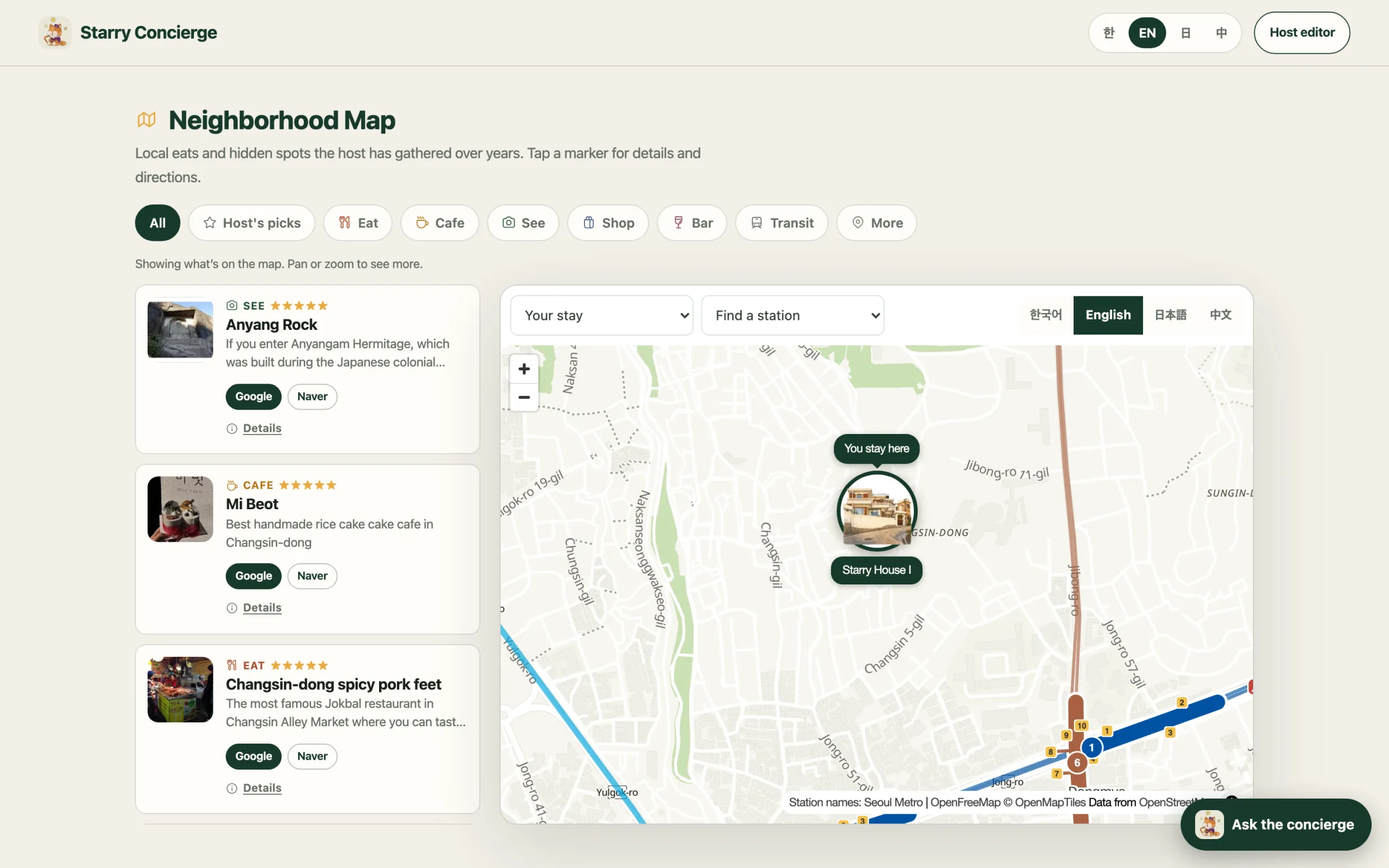
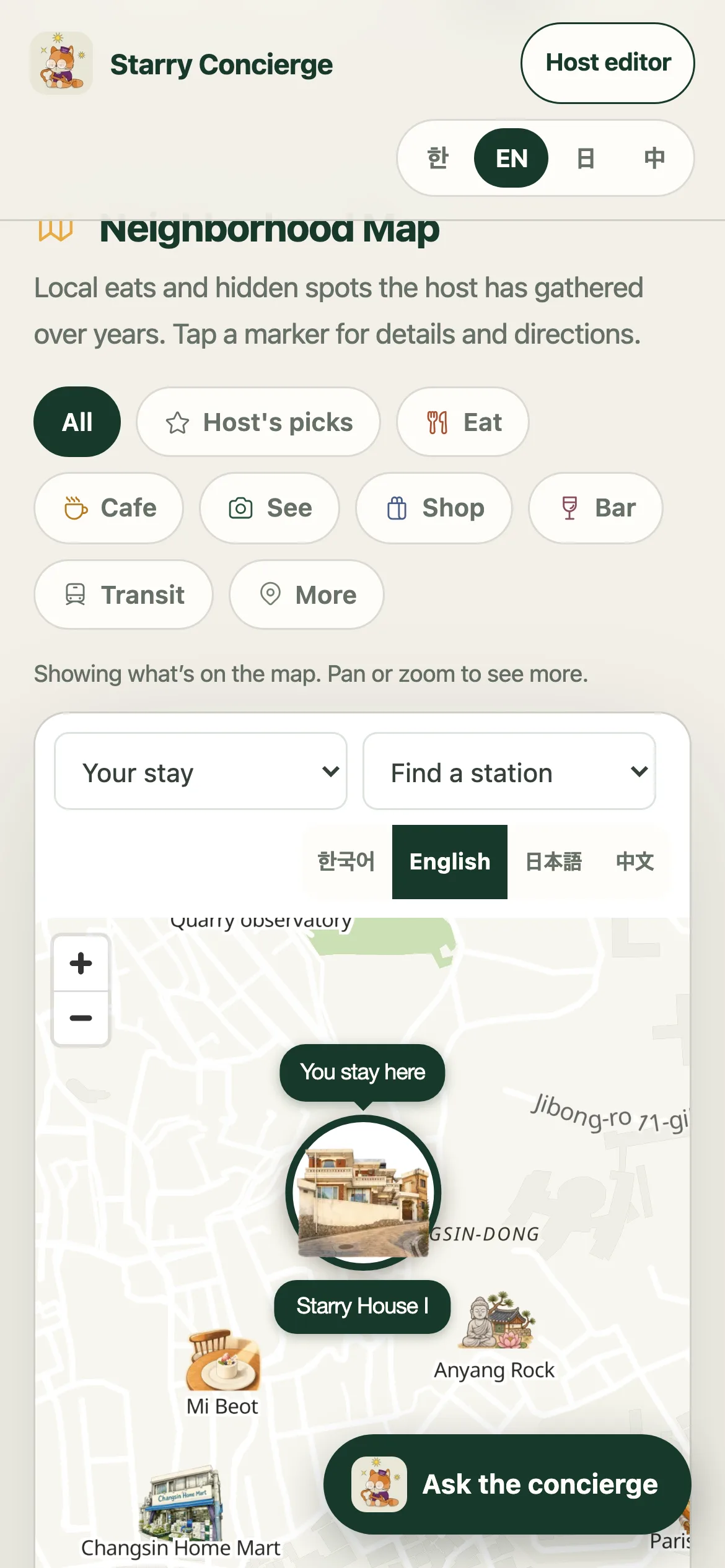
Wi-Fi, directions, house guide, neighborhood map. 6 languages.
Guest chatbot
Answers in 6 languages from your guide content.
Listing
Enter property details once in the app, and both the guide website and your property website use them.
Guest guide website — neighborhood map
Guest guide website on mobile — neighborhood map

Pricing

Build your own

Real-time bookings · messages · auto-translation · AI reply drafts · vacancy suggestions · Channel connection fees included

Custom work

Custom website · 3D capture of your property · Neighborhood map leaflet · Smart home device installation · Request a quote

Coming soon

  • Automated messagesFrom right after booking to the morning of check-out
  • Booking websiteDirect bookings · card payments
  • Korean channel connectionsNaver · Yanolja · Yeogi Eottae
  • Chat app connectionsManage properties from Claude · ChatGPT (under review)
  • AI search visibilitySo AI search can read your property information

FAQ

What is the difference between an API connection and an iCal connection?

With an API connection, bookings and messages arrive instantly, and you can use translation, reply drafts and vacancy suggestions. It uses external connection infrastructure and APIs approved by the major booking channels. An iCal connection pulls channel calendars every 2–3 hours to show your bookings. Messages are not synced.

Are there any costs besides the subscription?

All prices include VAT. Smart home device purchase and installation, and a Claude subscription if you use Claude as the AI engine, are paid separately. Channel connection fees for the API connection are included in the price, and initial setup is currently free. We issue tax invoices.

How are properties counted?

Each unit you sell as a separate booking counts as one property. The same property listed on several channels still counts as one. Rooms sold as a bundle are decided in consultation.

Can my cleaners use it too?

Invite them as co-hosts and they can view the cleaning list and cleaning cards on their phone, upload before and after photos and notes, and mark cleaning as complete. You decide which properties and tasks each person can access. Guest messages can be set to view-only, and rates and revenue are hidden from co-hosts.

Does the AI send messages to guests on its own?

No. The AI prepares translations and reply drafts. Messages are sent and rates are changed only when the operator clicks or gives the instruction. The one automatic action is turning off the air conditioner at a property once check-out is confirmed, and you can switch it off in Automation.

What if AI replies do not match my tone?

Adjust it in the AI reply manual in Steward AI. Place the AI draft next to the reply you actually sent and rate it on a 5-point scale; those ratings shape the next drafts. You can also write answers to frequent questions and your tone principles yourself.

Can I use the app in English?

The app interface is available in Korean and English (Settings → Display → Language). The guest guide website and guest chatbot support 6 languages.

Can the Starry Steward team see my account data?

Only when the owner allows support access in Settings. Access turns off automatically after 7 days, and switching it off ends any active session immediately. During support, guest messages cannot be sent, bookings cannot be created or changed, and account, billing and connection settings cannot be modified. Every access is logged in the owner’s Settings.

Get started

Selected plan

API connection + Concierge + Dynamic pricing · 1 property · ₩34,650/month